
Create or log activities on a record
Which activities a record supports depends on its object: tabs are declared object by object and are not the same across all of them. Contacts carries the most. From a contact’s record you can create five types, each in its own tab, in this real order: Notes, Tasks, Emails, Calls, Meetings, followed by Activity (the combined feed, not an activity type of its own):
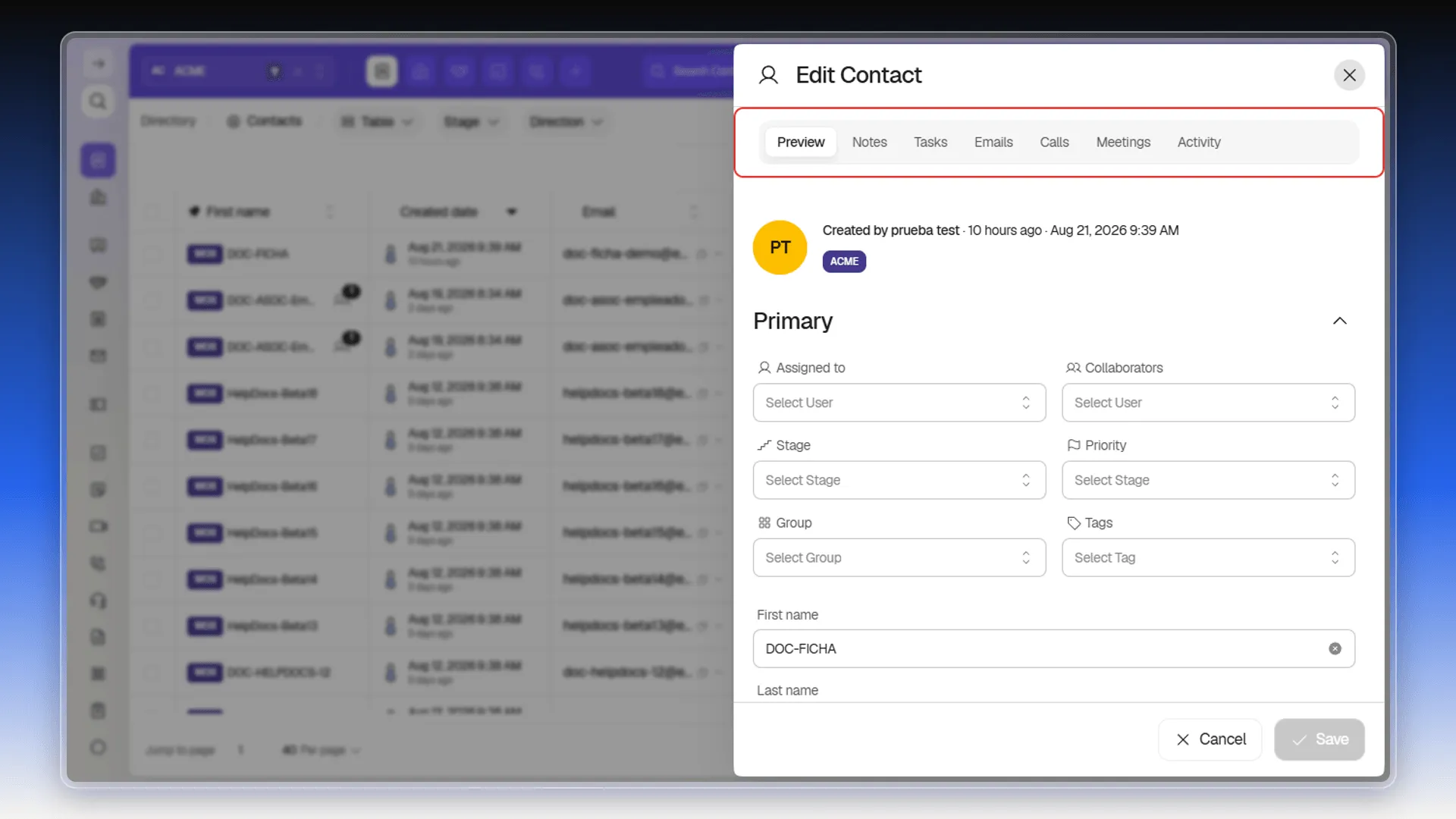
- Notes — free text, with @mentions to other users.
- Tasks — to-dos with a due date.
- Emails — individual emails sent from the record.
- Calls — a manual log of a call you made. The form asks for Direction (Inbound or Outbound, defaulting to Outbound) and Channel (required: Phone or WhatsApp, “the communication channel used on the call”), and also takes Assignee, Stage, a formatted summary, attachments and @mentions. If the contact has no phone numbers on file, the tab says so at the top. Confirm with Log call.
- Meetings — meetings scheduled or logged with the contact.
Each type is created directly from its own tab, without leaving the contact’s record or searching for it again. Once created, it shows up right away in its own tab and in the combined feed. See also Associate activities with a record to understand how it ends up linked to the contact.
Review logged activity
Section titled “Review logged activity”The Activity tab brings related events together in one timeline. Use All for the complete history or Deal to limit it to an associated deal. When available, the cards show the person responsible, date, stage, deal, and its total.
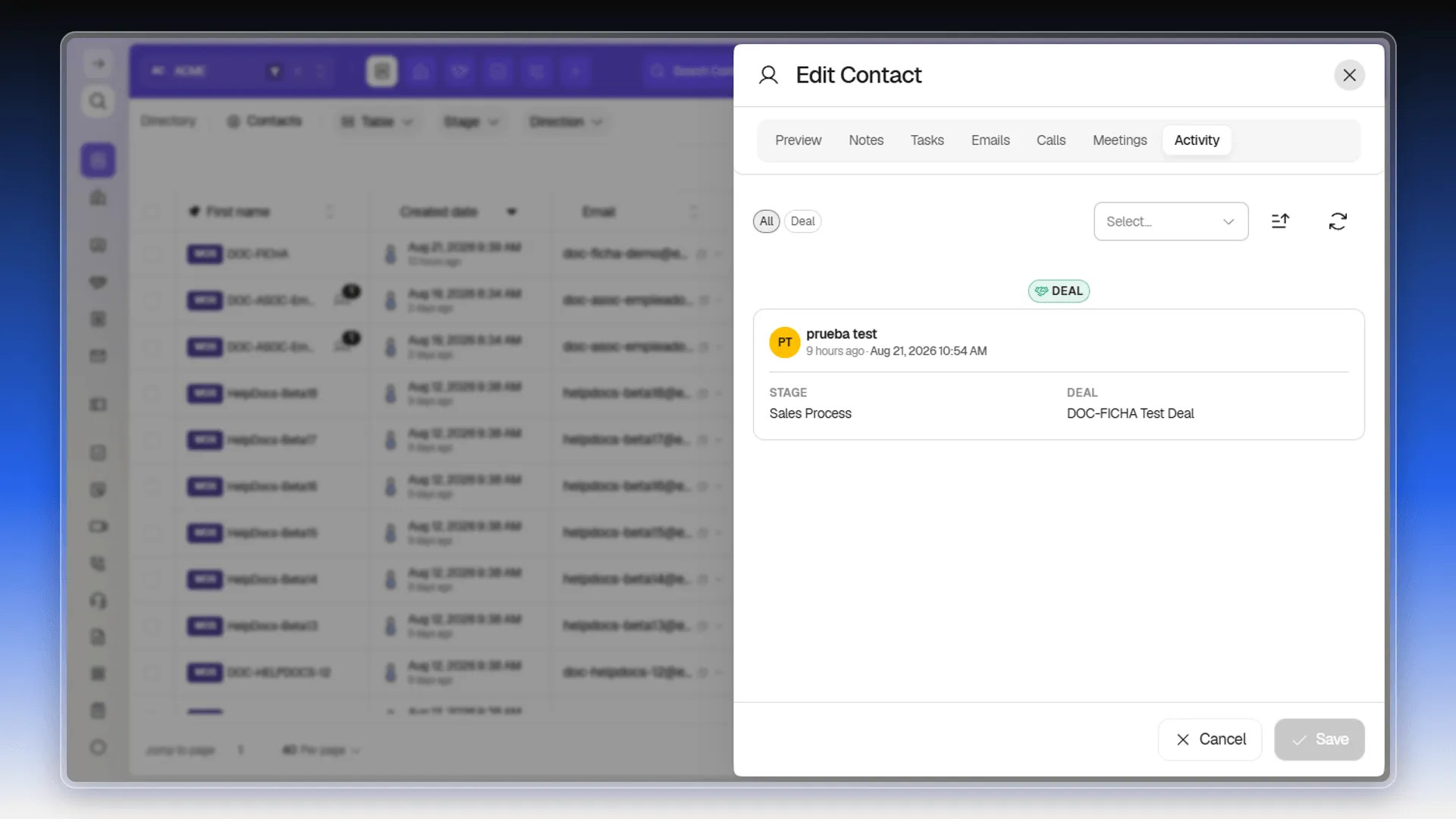
This is a commercial history, not a technical audit trail. Deals shown there are started from Create deal with this contact; proposal-view metrics are explained in Deal visit metrics.
Frequently asked questions
Notes, Tasks, Calls, Meetings, and Emails — each with its own tab inside the contact's record.
No. Each tab on the record (Notes, Tasks, Calls, Meetings, Emails) has its own creation form.
Was this article helpful?
Thanks for your feedback!