
Log a call
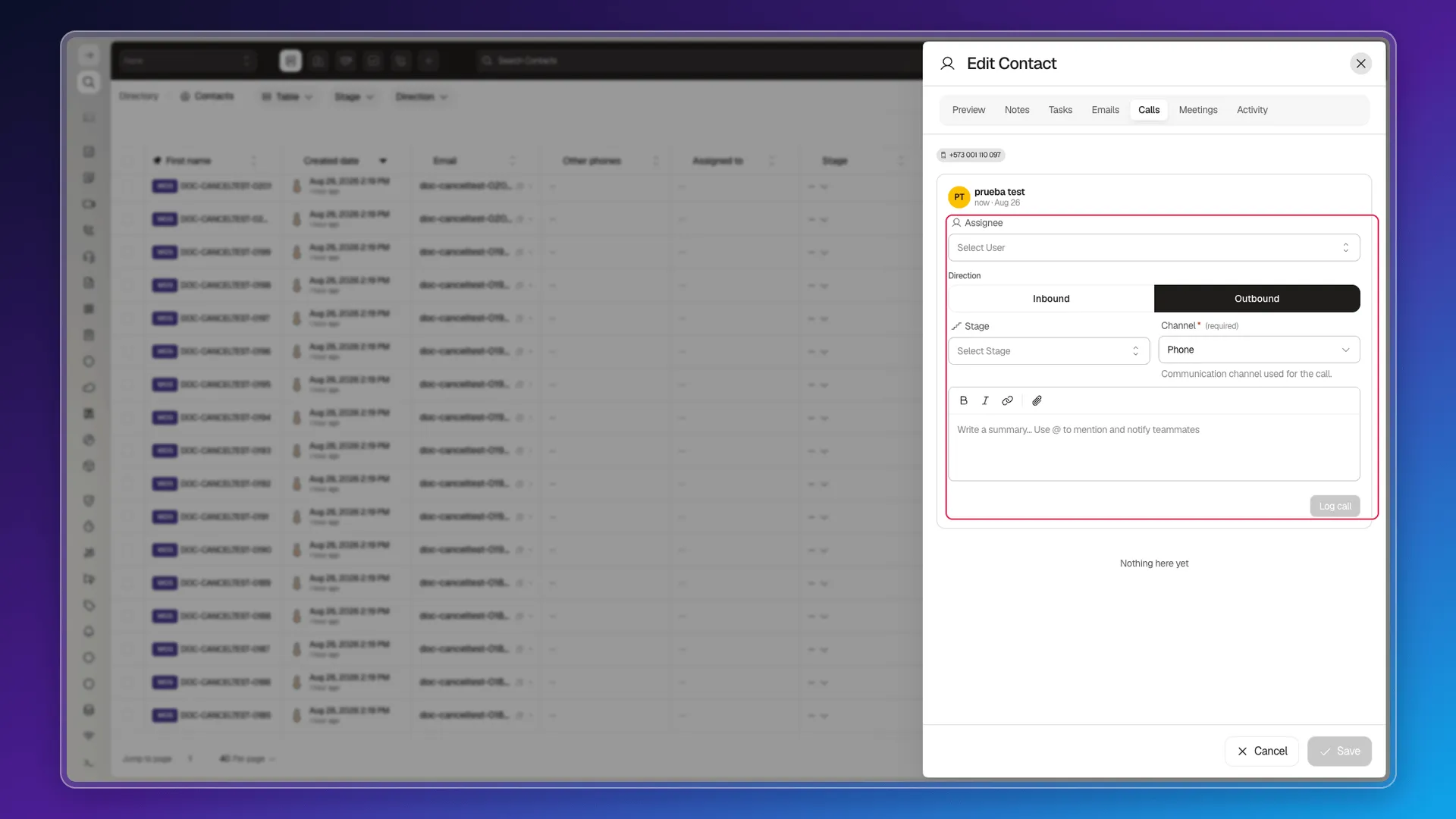
From the contact record, the Calls tab logs a call with four fields: Assigned, Direction (Inbound or Outbound), Stage, and Channel — the last one marked (required), the only mandatory field of the four. There’s no summary or notes field on this form. The form indicates when the contact has no phone numbers (see Properties for the phone fields). Log call becomes available after the required information is complete; the call stays in the tab’s history, visible the next time you open the record.
Frequently asked questions
Assigned, direction (inbound or outbound), stage, and channel. Channel is the only required one — there's no summary or notes field on the form.
The form still shows up; you can log the call, but it's worth completing the phone field in Properties for future calls.
Was this article helpful?
Thanks for your feedback!