
Create a record
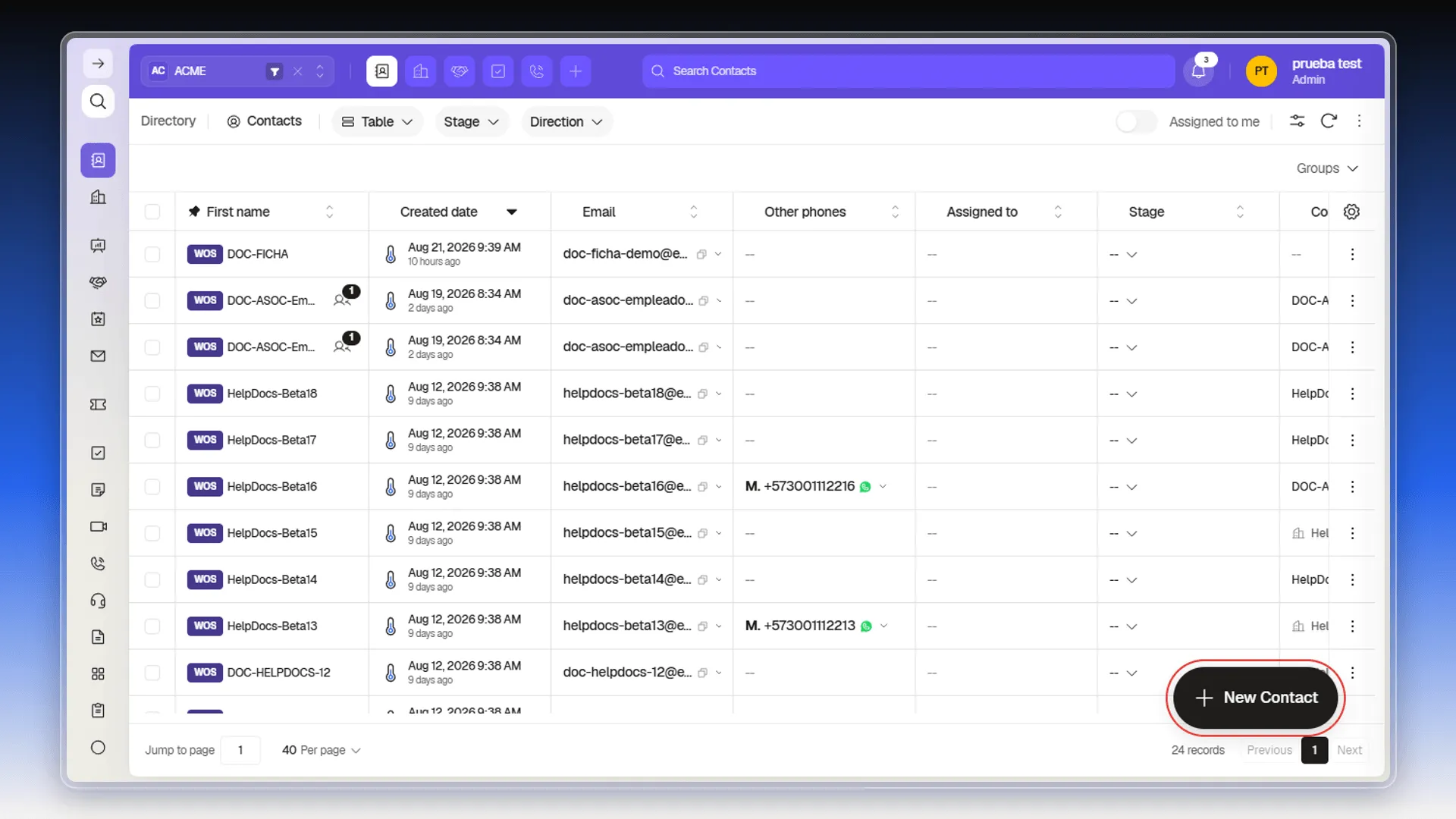
In the side menu, select the object — Contacts, in the example — and click the round button in the bottom-right corner. Hovering over it expands the button to show its name, New Contact. The form opens over the same index page, without leaving the list or losing your applied filters.
The Create Contact panel holds a Primary section with Assigned to, Collaborators, Stage, Priority, Group, and Tags, followed by the contact’s own fields: First name, Last name, Email, Job title, Company, Website, phone numbers, address, identification, social networks, Assignment group, Industry, Number of employees, Ad campaign, Source, and Description. Other objects carry the same Primary section with their own fields.
Email is Contact’s only required field — marked with an asterisk and the word (required) — and it’s also the record’s primary key. You can create a contact with just that value and fill in the rest later.
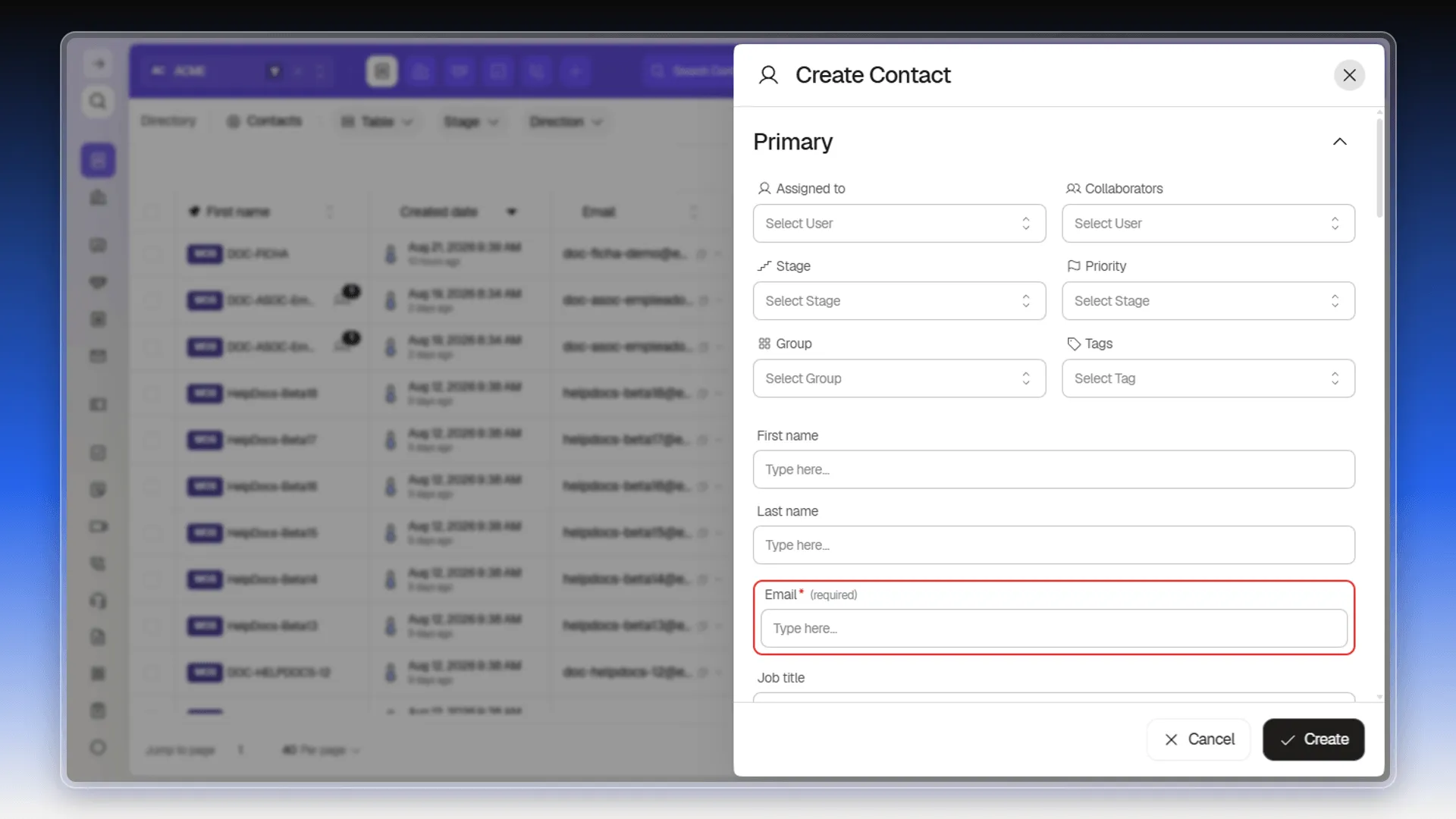
Company is the record that relates the contact to a business. Pick it from the form field, or leave it empty and associate it later.
The Stage selector offers whatever stages are configured for the object under System → Stages (see Stages and pipeline rules). Stage names are account data, not a fixed part of the interface.
Differences for Company
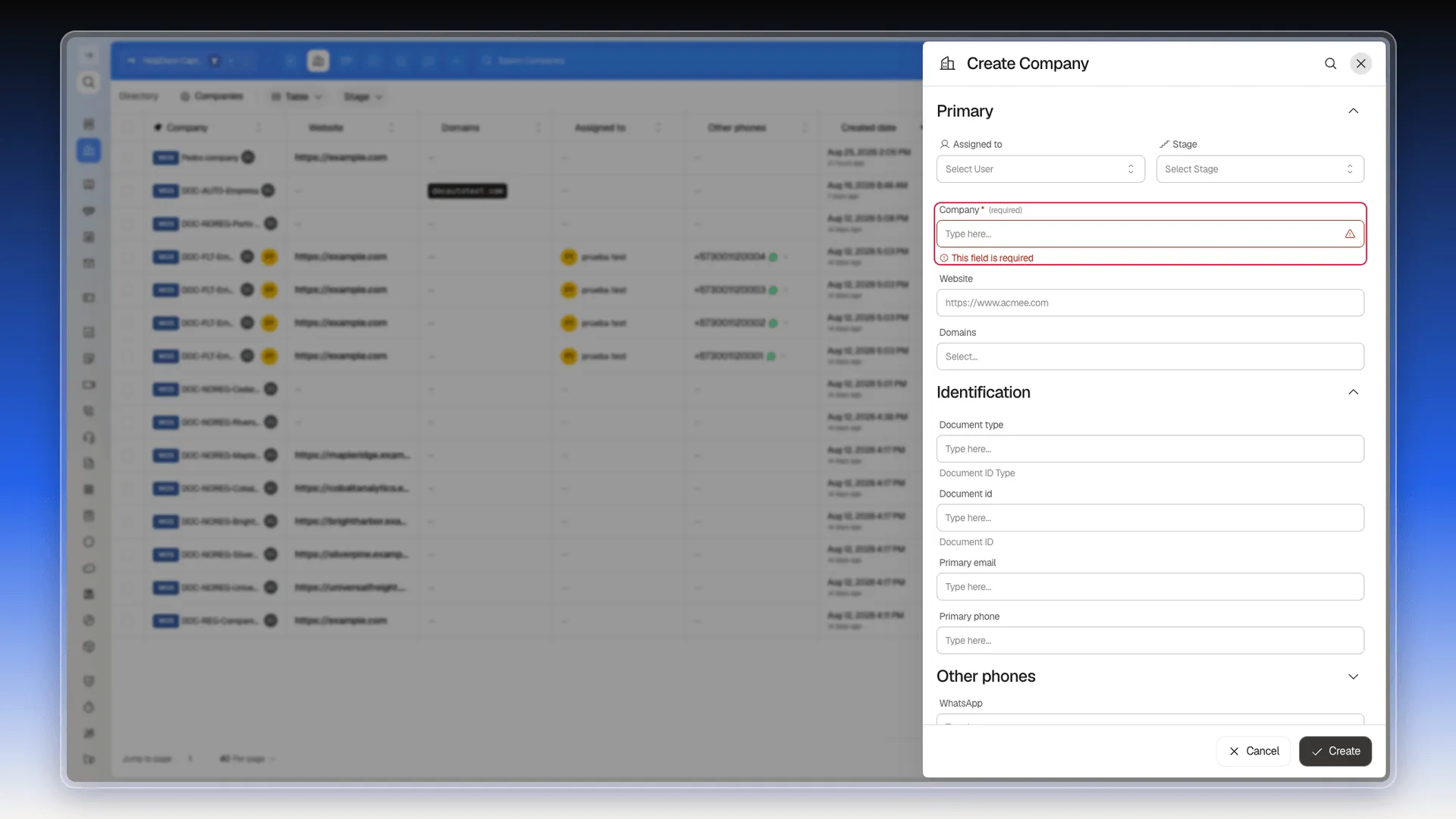
Section titled “Differences for Company”Company uses the same creation panel, but the required field changes: instead of Email, it’s Company — the business name. Trying to create one without it highlights the field in red with a This field is required message.
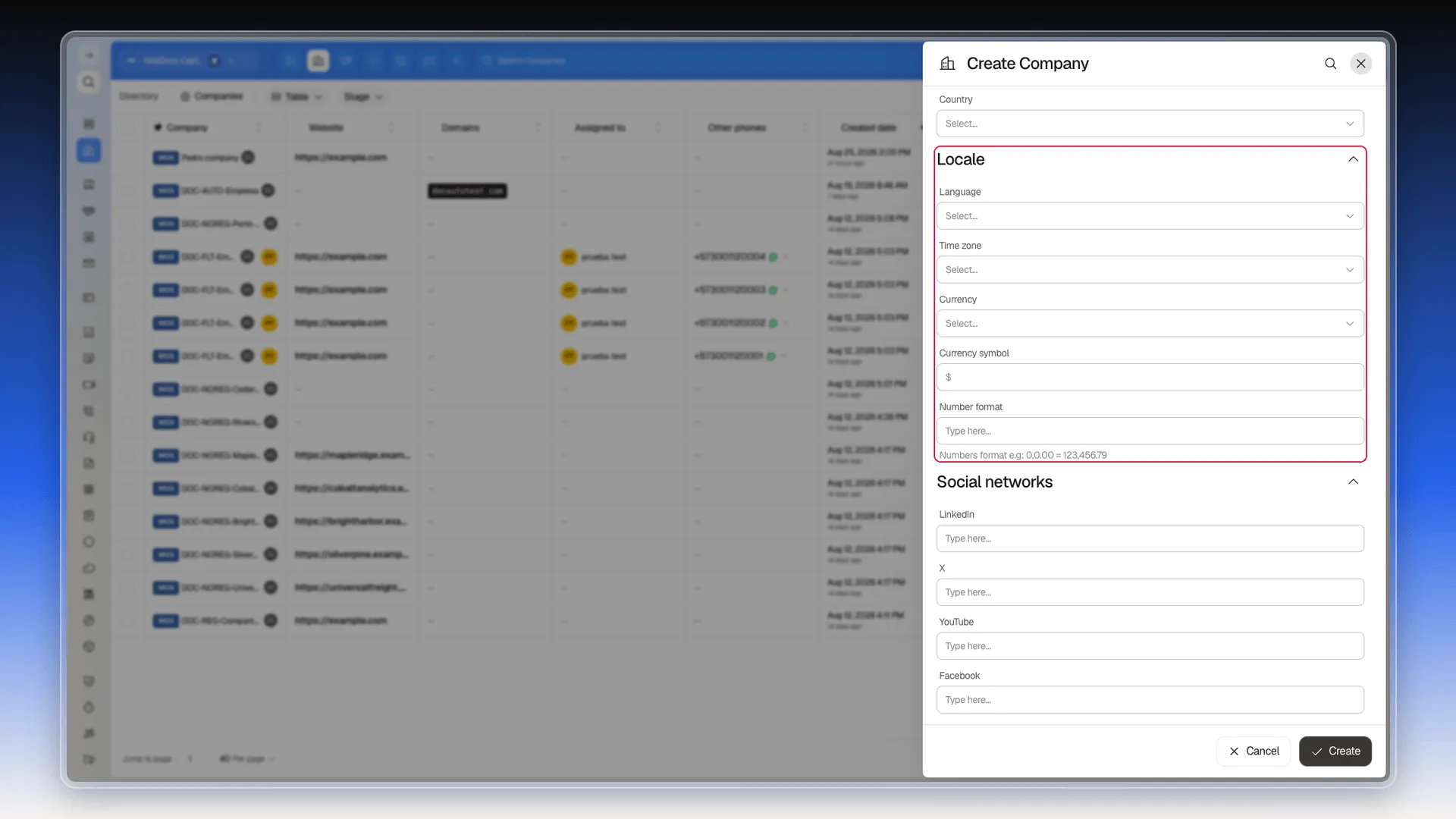
The Company form adds sections Contact doesn’t have. Locale carries the company’s own language, time zone, currency, currency symbol, and number format.
Refered by (as labeled in the interface) records the user, contact, or business name that originated the company — unlike Source on Contact, which is free text, this is a reference to another record — and Brand lets you upload a logo and set a corporate color.
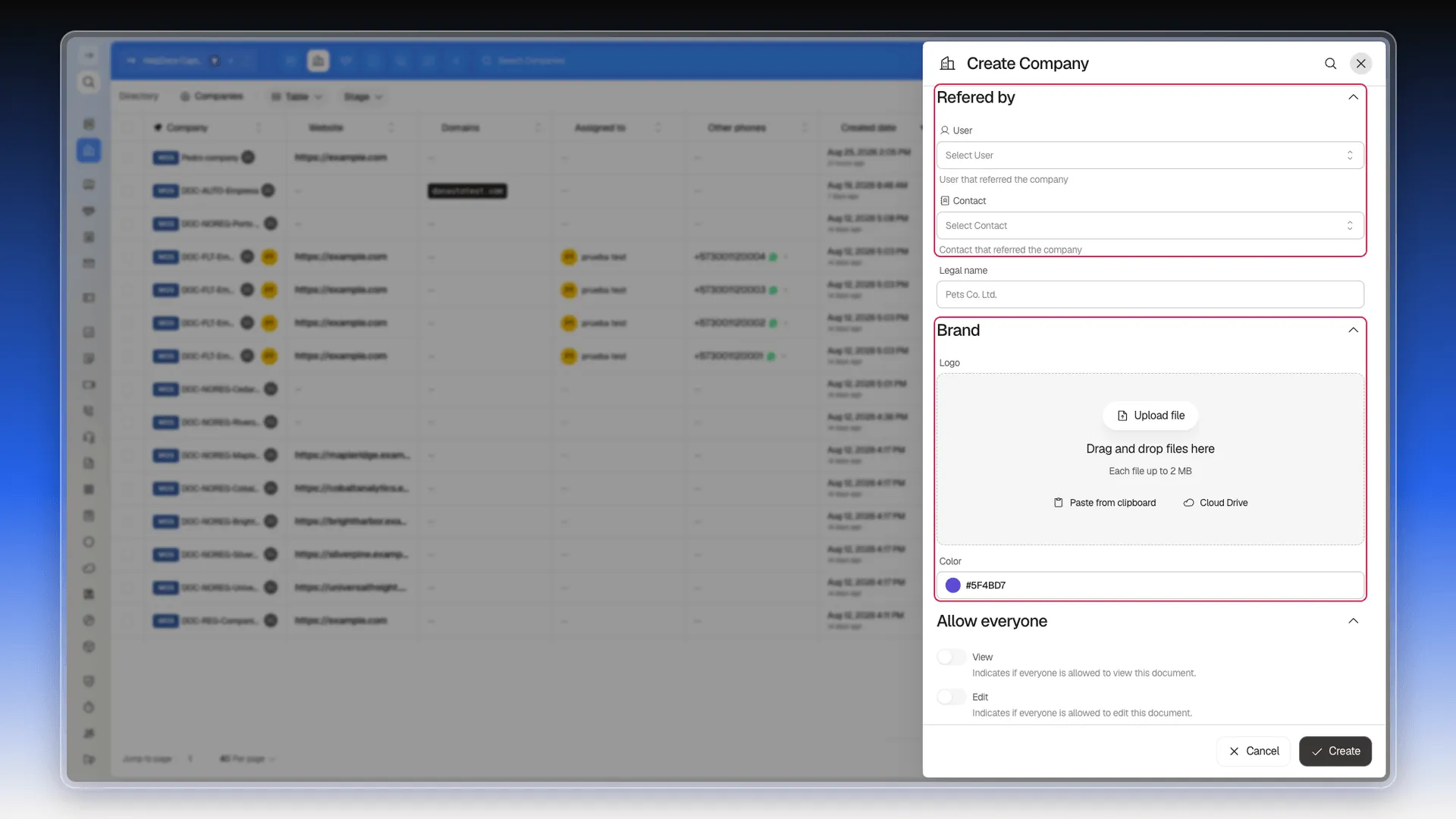
Select Create to save the record. It shows up in the index right away — see Index page overview.
If you work in board view, the New record button in each column creates the record directly in that stage — see Manage records in board view.
Frequently asked questions
Email. Everything else in the form — including the name — is optional. Each object's required field depends on its own properties.
Yes. The Company field lets you pick an existing record from Companies; leave it empty and the contact is created without that association.
Yes, by selecting Create as soon as you fill in the required fields — the rest stay empty and can be filled in later from the same panel.
Company — the business name — the same way Email is required for a contact.
The Locale section (the company's own language, time zone, currency, currency symbol, and number format), Refered by (a reference to another record, unlike the free-text Source field on Contact), and a corporate color inside Brand.
Was this article helpful?
Thanks for your feedback!