
Associate activities with records
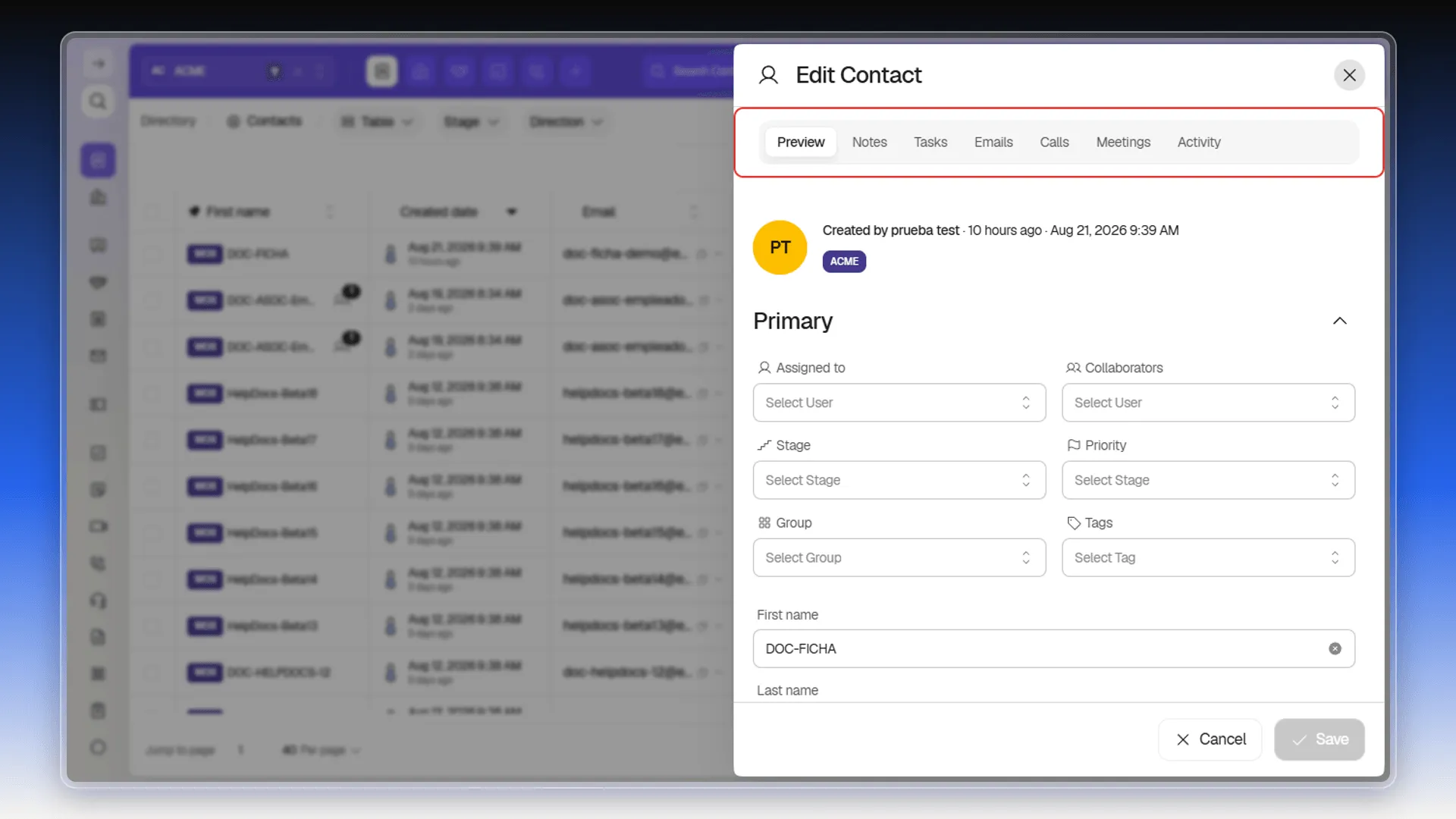
Opening a contact’s record shows one tab per activity type: Notes, Tasks, Calls, Meetings, and Emails. Any activity you log from one of those tabs is automatically associated with that contact — there’s no extra step to “link” the record you just created.
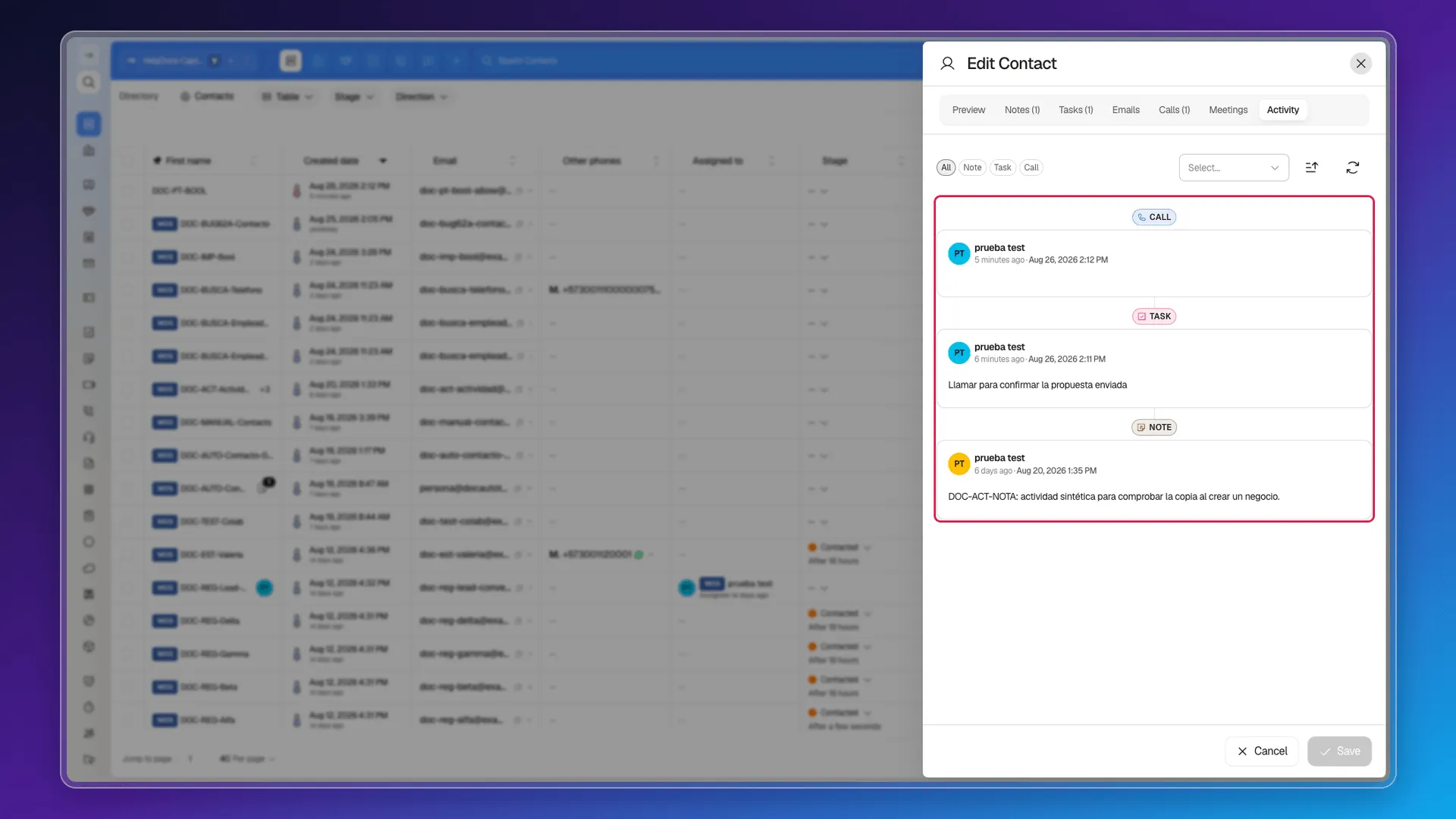
The Activity tab brings all of those associations together into a single chronological feed, along with stage changes on related deals. Here’s what a contact with logged activity looks like: each entry carries its own badge — Call, Task, Note — and is associated with this contact with no extra step.
An activity belongs to a single contact
Section titled “An activity belongs to a single contact”Every activity stores the contact whose record it was logged from, and that link is what files it in the system. If the same matter concerns two people, log the activity on each of their records.
The relationship with the company and with the deal comes through that same route: the activity belongs to the contact, and the contact is the one related to their company and their deals — see Associate records.
Moving an activity to another contact
Section titled “Moving an activity to another contact”Calls can be moved between contacts. Open the call from the Calls module — not from the contact’s record — and edit its Contact field: on save, the call moves to the record of whoever you pick.
Frequently asked questions
Automatically, when you log it from one of the contact record's tabs (Notes, Tasks, Calls, Meetings, or Emails) — there's no separate step to "link" it.
In the record's Activity tab, which combines the feed of every logged interaction.
One. Each activity stores the contact whose record it was logged from. If you need a trace on two records, log it separately on each one.
Calls can — open them from the Calls module and edit their Contact field. Notes, tasks, meetings, and emails keep the contact they were logged with.
Through the contact. The activity stores its contact, and from there it reaches the company or the deal that contact is related to.
Was this article helpful?
Thanks for your feedback!