
Create deals
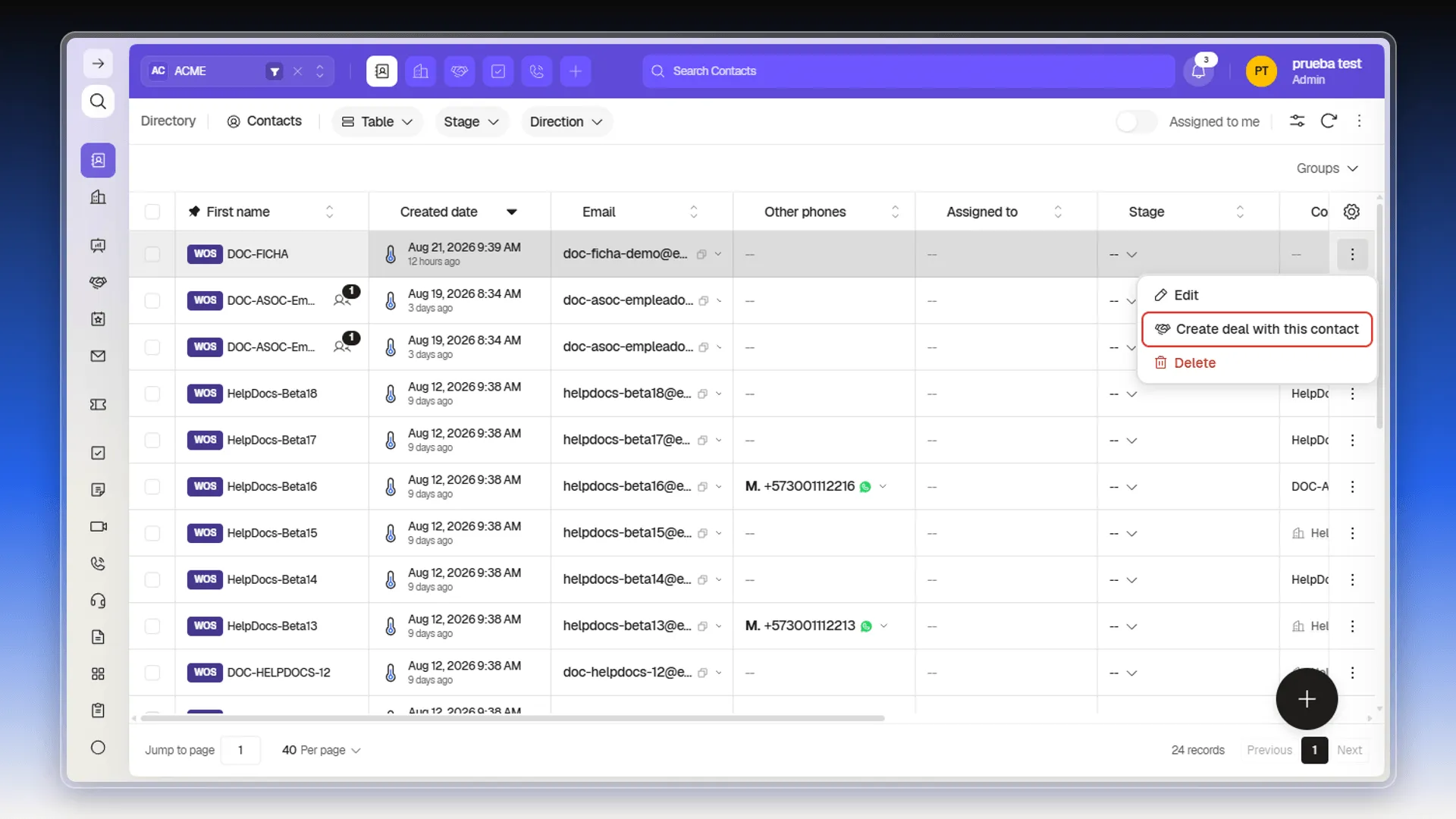
On the Contacts list, open the three-dot menu at the end of the row and select Create deal with this contact. The action sits between Edit and Clone.
The Create Deal panel opens with the Contact field already filled in: you don’t have to look the person up again. The rest of the form is the same as any deal — Assigned to, Collaborators, Stage, Priority, Group, Tags, the deal name (required), and the close date.
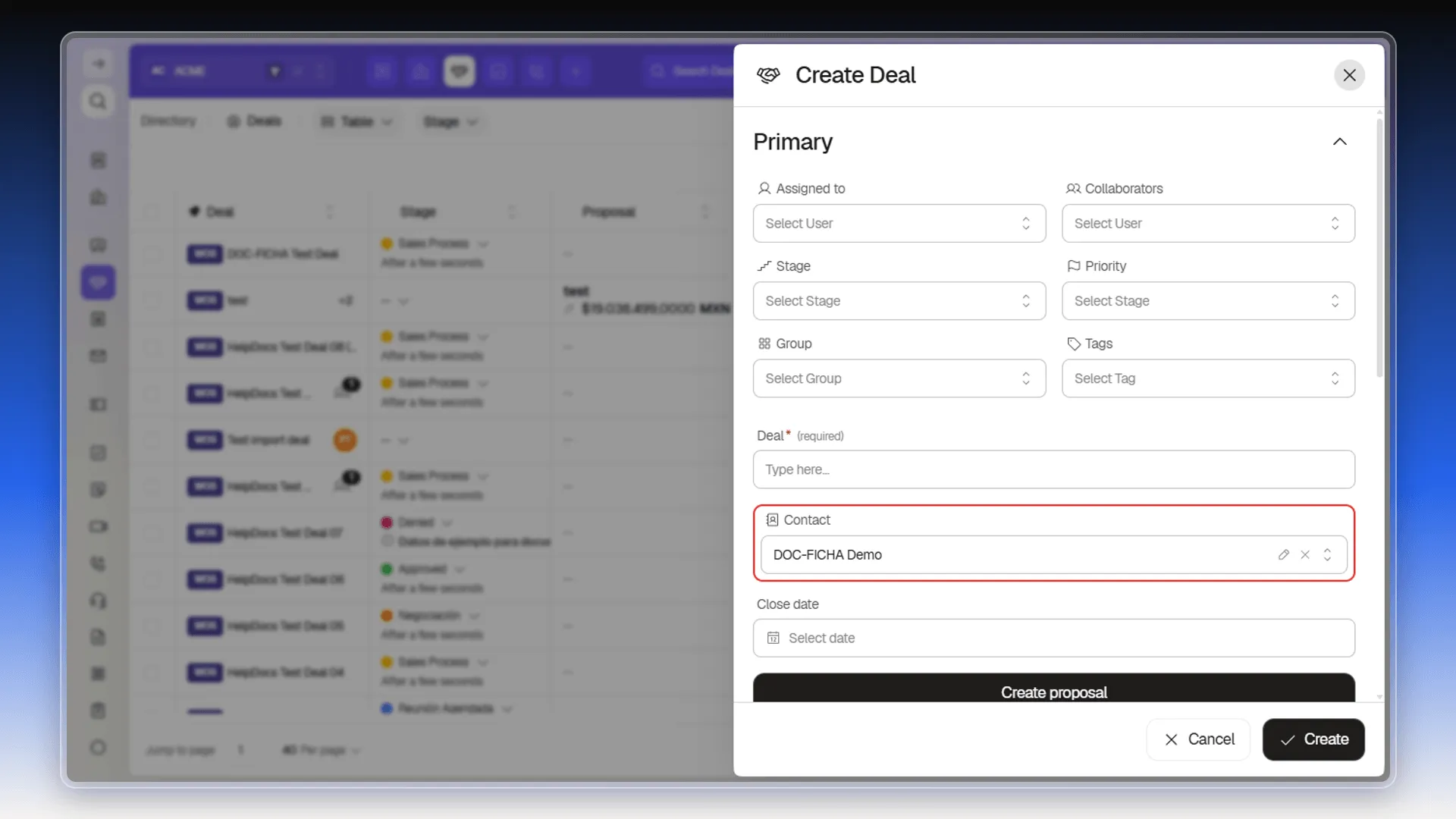
Type the name in Deal and select Create. The deal is related to that contact and shows up on its Activity tab as a DEAL card, with the stage and the name — see Create or log activities.
What the new deal takes with it
Section titled “What the new deal takes with it”The deal is created related to the contact, but with no history. Whatever was already on the contact — notes, tasks, calls, emails, and meetings — stays where it was: the form offers no step to bring it across, and the brand-new deal opens its Notes tab on No records yet even when the contact has several.
The deal’s tabs aren’t the contact’s either: it brings Preview, Notes, Tasks, and Contracts, with no Emails, Calls, Meetings, or Activity.
Frequently asked questions
In the three-dot menu at the end of the contact's row, between Edit and Clone.
No. The deal's Contact field arrives filled in with the contact you started from.
On the contact's Activity tab, where it shows up as a DEAL card with the stage and the deal name.
Was this article helpful?
Thanks for your feedback!