
Send and manage one-to-one emails
A one-to-one email in Prolibu is a record of the Emails object: you compose it from the Emails tab of a contact’s record, it goes out through the Google or Microsoft account you connected, and it is stored with its status, its opens and its errors.
Before the first one: connect your inbox
Section titled “Before the first one: connect your inbox”Prolibu doesn’t send from a mail server of its own. It needs an authorised account, and until there is one the Emails tab of any record shows the Connect your inbox notice (“Authorize Google or Microsoft to send emails from Prolibu”) instead of the compose button.
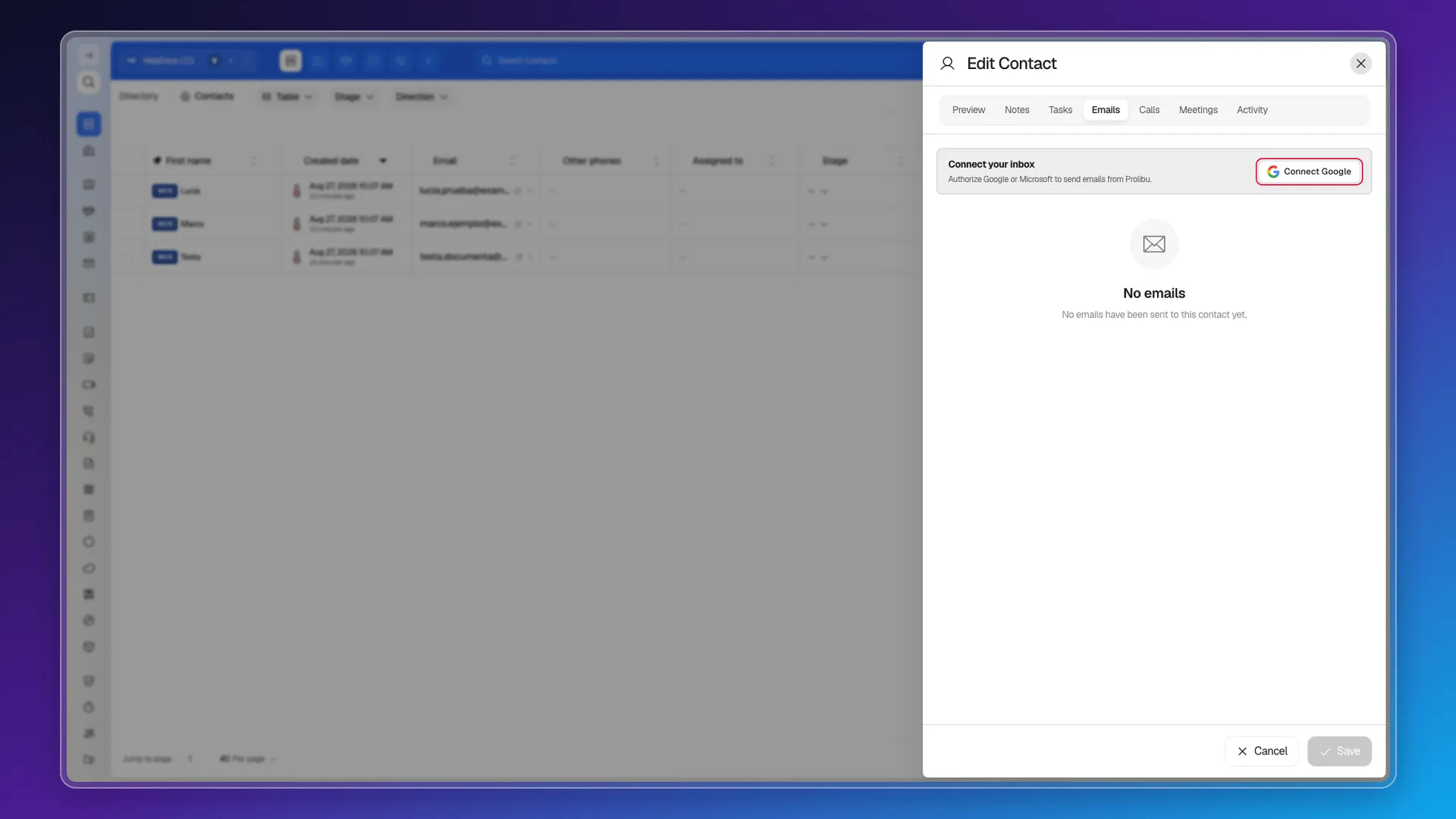
The notice isn’t cosmetic. Create the email anyway and the app rejects it with “Error saving: No email provider was found to send the email” and stores nothing — not even as a draft. The authorisation itself is covered in Connect your email and in Edit the default address to send one-to-one emails from.
Which providers you get depends on the account settings: in the one we used for this documentation only Google was enabled for sending, so Microsoft never showed up on the record even though the Apps Hub offers it.
Where you compose
Section titled “Where you compose”From the contact’s record: open it, go to the Emails tab and pick Compose email. The To field arrives prefilled with the contact’s address and the message stays tied to that record.
The form asks for To, Cc, Bcc, Subject and Attachments, and the body is built in two tabs: Text (a single-column rich editor) or Blocks (a full-screen design editor with sections, images, buttons and video). The Send immediately toggle decides whether it goes out on creation. Step-by-step screenshots are in Emails and templates.
Beyond To, Cc and Bcc, every email stores From, From name and Reply to. The connected provider fills those in; the form never asks you to pick them.
Personalising with templates and variables
Section titled “Personalising with templates and variables”Above the editor, Load message template searches the account’s saved templates and replaces the content with the body of the one you pick. Templates live in Message Templates, and the email ones are those whose Model field is set to Email.
Inside a template’s editor, Insert variable opens the tree of fields that get substituted at send time, grouped by source: My profile, Contact, Email campaign, Contact protocol, Source campaign and Consent.
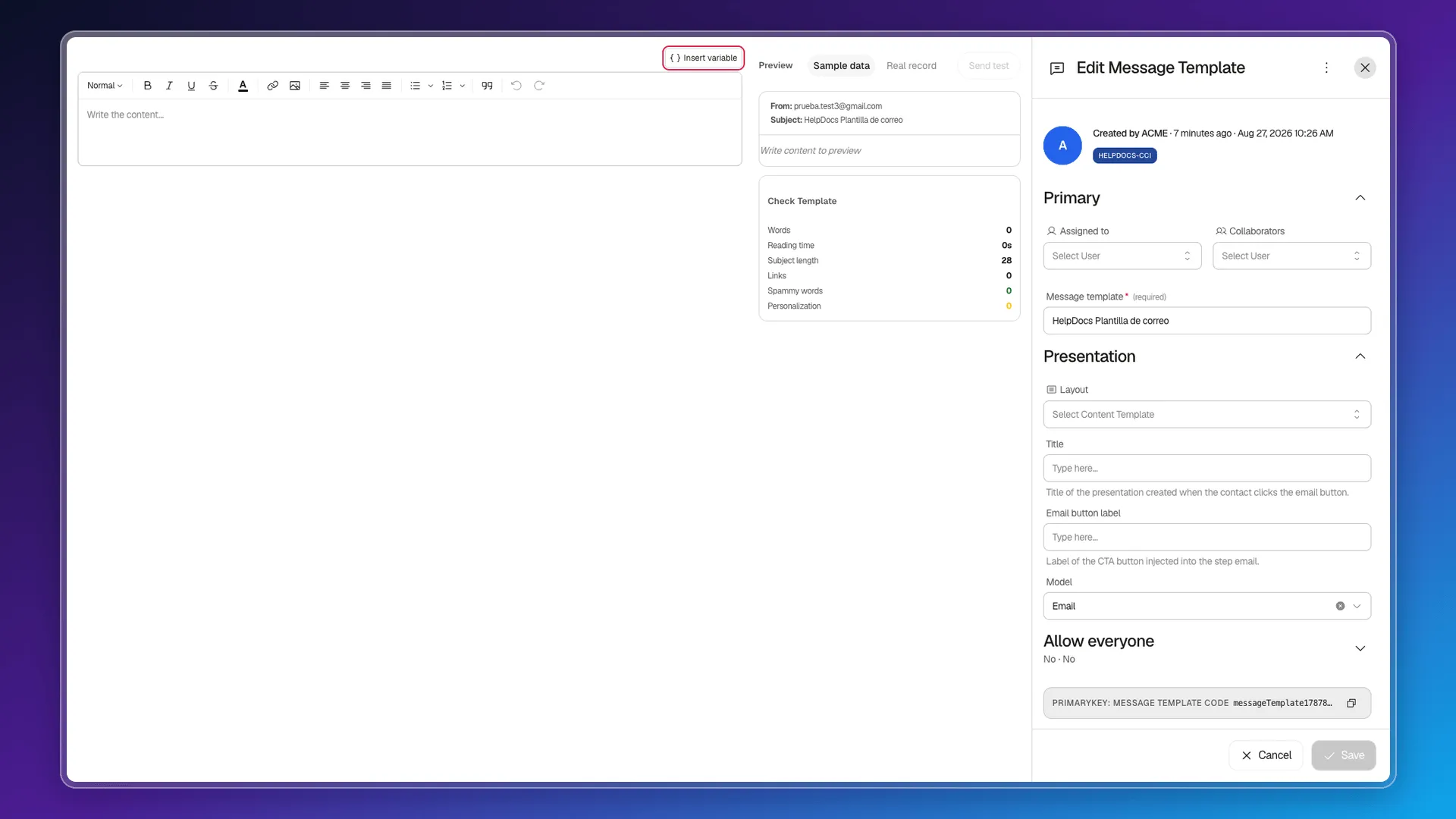
The same screen carries a Check Template panel that measures the draft before you send it: words, reading time, subject length, links, spam words and level of personalisation. And a preview with three modes: Sample data, Real record and Send test.
Where sent mail ends up
Section titled “Where sent mail ends up”The record’s Emails tab gathers the messages sent to that contact, and it’s where you check what went out.
Each email carries its own status — pending, sent or failed — and, when something goes wrong, the error text and the retry count. That’s what to check when a contact swears they never received anything.
Tracking is stored per message (views, last view, delivered, bounced, complained, and clicks per link) and accumulates per contact: the Contacts column picker offers Emails sent, Email opens, Email clicks and Email replies. They’re counters, not alerts — Prolibu doesn’t tell you the moment someone opens a message.
Replying, forwarding and the thread
Section titled “Replying, forwarding and the thread”Every email stores the thread identifiers (threadId, inReplyTo, references and the message ID), which is what lets a conversation chain correctly in the provider’s inbox.
To send the same message to several people, don’t send one-to-one emails one by one: Email Campaigns reuses the same editor and the same template picker, and adds audience, sequence and scheduling.
Frequently asked questions
No. With no provider connected the app won't even create the email; it returns "No email provider was found to send the email".
From the Emails tab of their record, with Compose email. That's the only documented route.
In the Emails tab of their record. Their properties also accumulate Emails sent, Opens, Clicks and Replies, available as columns in the Contacts table.
It stores the open count in the Views column and in the contact's properties (Emails sent, Opens, Clicks, Replies), but it doesn't push a notification at the moment of the open.
Was this article helpful?
Thanks for your feedback!