
Audit logs
Where a record’s Activity tab tells the commercial story of that contact, Audit logs answer a different question: who did what with your CRM data, from which machine, and with what result. It’s the module to open when someone asks why a record disappeared or who changed a value.
How to open the module
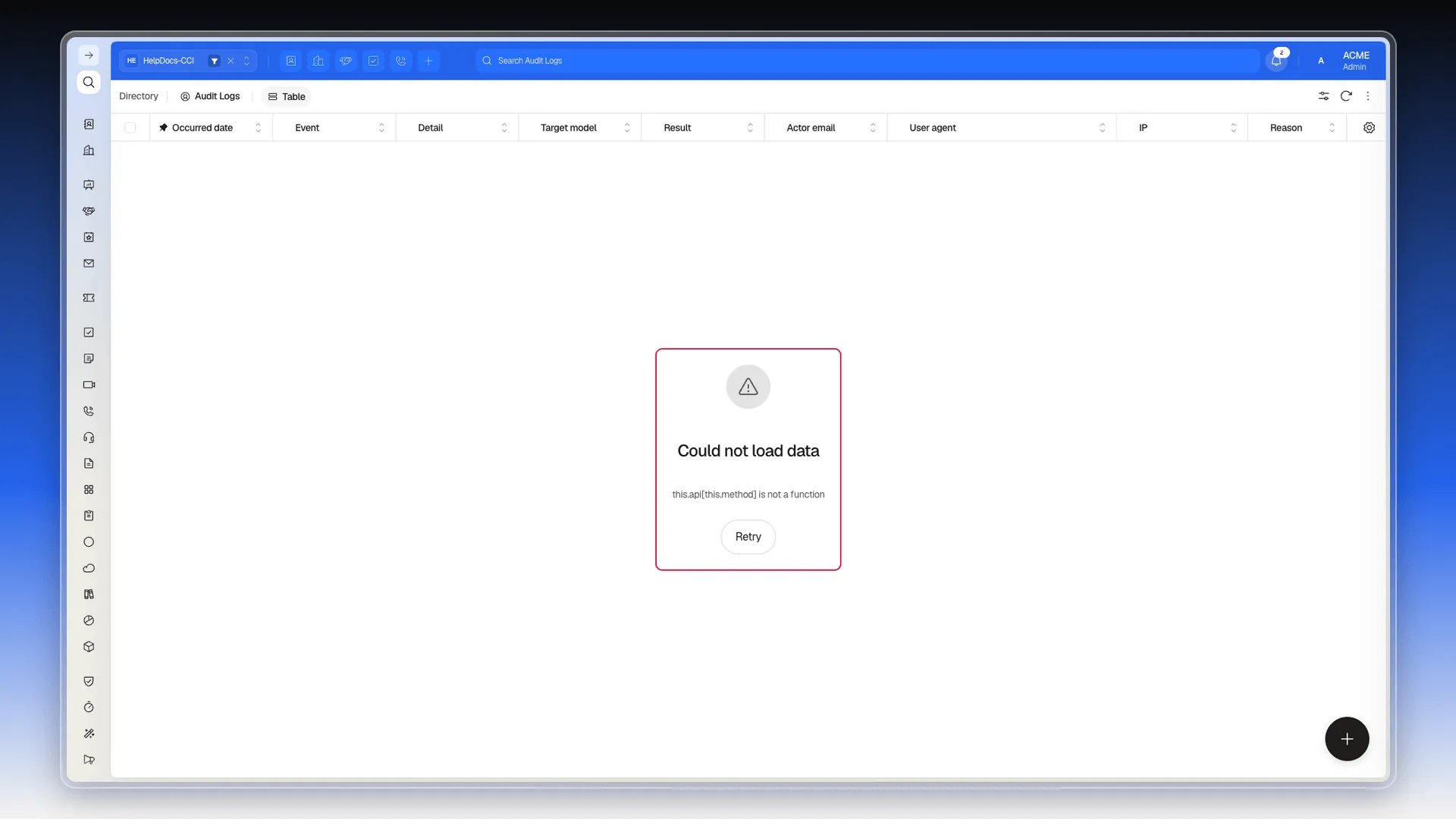
Section titled “How to open the module”The header shows Directory as the module name and Audit logs as the active section, but in the version we reviewed this section is not listed in the side menu: you open it by adding /auditLogs to the end of your account’s address, in the form .../ui/spa/<account>/auditLogs.
What each column shows
Section titled “What each column shows”The default view brings nine columns:
| Column | What it shows |
|---|---|
| Date | When the event happened. |
| Event | The action that was recorded. |
| Detail | Extra information about that action. |
| Target model | The type of record affected (Contact, Deal, Company, User…). |
| Result | How the action ended. |
| Actor email | The user who ran it. |
| User agent | The browser or device it was done from. |
| IP | The address that user connected from. |
| Reason | The reason recorded alongside the event. |
Configure columns (bottom right of the table) adds four more: Id, Workspace, Reference ID, and Reference URL — the last two point to the specific record the event happened on.
Searching the history
Section titled “Searching the history”The screen has the same controls as any other index in the system, but we couldn’t verify that they work here: since the table never loads data (see the notice below), the following is only what’s visible in the interface, by analogy with other modules — not something we actually tested:
- The header search box (Search in Audit logs) is present; not verified that it filters — see Search your CRM for how it works in other modules.
- The Filters panel offers Simple and Advanced modes in the interface; not verified that saving conditions or applying a filter has any effect, unlike Filters and Saved filters, where it was actually tested.
- Each header shows sort and pin controls, as in Views and columns; not verified that they actually sort with no data to sort.
- Refresh is in the toolbar; not verified whether it re-queries the history, since there’s no history to query.
Configuration panel (different from the viewer)
Section titled “Configuration panel (different from the viewer)”Besides the viewer described above, there’s a real configuration panel at Preferences → Security → Audit Log (see Setting up your account): an Enabled switch, Retention days (365 by default), and Log operations enabled with its Log operations models list. On this test account, both switches are off by default. We didn’t confirm whether turning them on makes this page’s viewer show data — the bug documented below (this.api[this.method] is not a function) suggests a backend issue independent of whether logging is enabled.
Not to be confused with System → Logs
Section titled “Not to be confused with System → Logs”System → Logs is a different module: it stores technical execution records (record type Script, with status, error message, and a detail JSON). It’s for diagnosing integrations and automations, not for finding out what a user did with a contact.
To decide who can view, edit, or delete each record — the preventive side of what the logs record afterwards — go to Assign access to records.
This page describes only the structure of the module as displayed: we could not confirm the specific values that Event, Result, and Reason take.
Confirmed: the action bar includes an Export selection button, same as other indexes in the system — an export option does exist, though with the table empty we couldn’t confirm what format it generates or whether it exports only the selection or the whole filtered history.
Frequently asked questions
In the Audit logs module, which records each event with its date, the email of the user who ran it, the type of record affected, and the result.
No. Activity is that contact's business timeline; audit logs are the technical trail of actions on account-wide data, including IP and browser.
We couldn't confirm it. The controls are there — a search box, a Filters panel, sortable headers, a Refresh button — but since the table never loads data, we couldn't test whether they actually filter, sort, or refresh; this is an inference by analogy with other modules, not direct evidence.
In the version we reviewed the module is not listed in the menu; you open it by adding /auditLogs to the end of your account's address.
Was this article helpful?
Thanks for your feedback!