
Edit a property value for a record
There are two ways to open a record for editing:
- Click its name in the table. The URL moves to the object’s route —
/contacts/<id>in Contacts — and its editing panel, Edit Contact, opens. - Or open the three dots on its row and select Edit. The same menu offers Clone, Delete, and the object’s own actions — in Contacts, Create deal with this contact.
Either one opens the same panel; which tabs it brings depends on the object — in Contacts they are Preview, Notes, Tasks, Emails, Calls, Meetings and Activity. Preview is the editable form: update the fields you need and select Save in the panel’s footer. What each field means is covered in Properties. To change the same field on several records at once, use Edit selected.
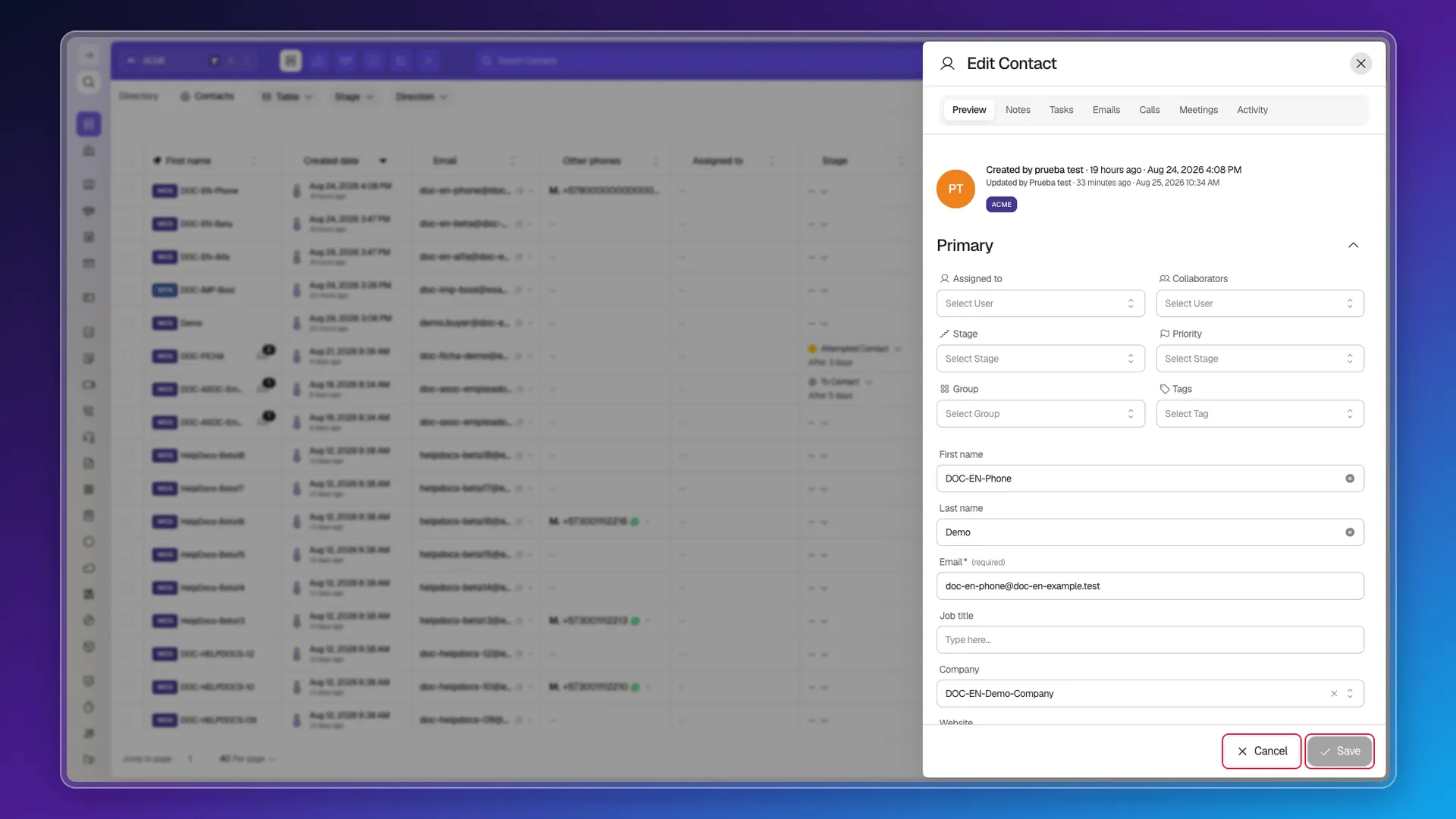
Editing from the row itself
Section titled “Editing from the row itself”Not everything goes through the form. Cells that show a reference to another record or a stage are edited without leaving the list: clicking the cell opens a picker with its own search box, right there in the row. Which cells those are depends on the object’s properties; in Contacts:
- Stage opens the pipeline’s stage list, each with its color.
- Assigned to opens the user picker, with a New Assignee option.
- Company opens the company search, with a New company option to create one on the fly.
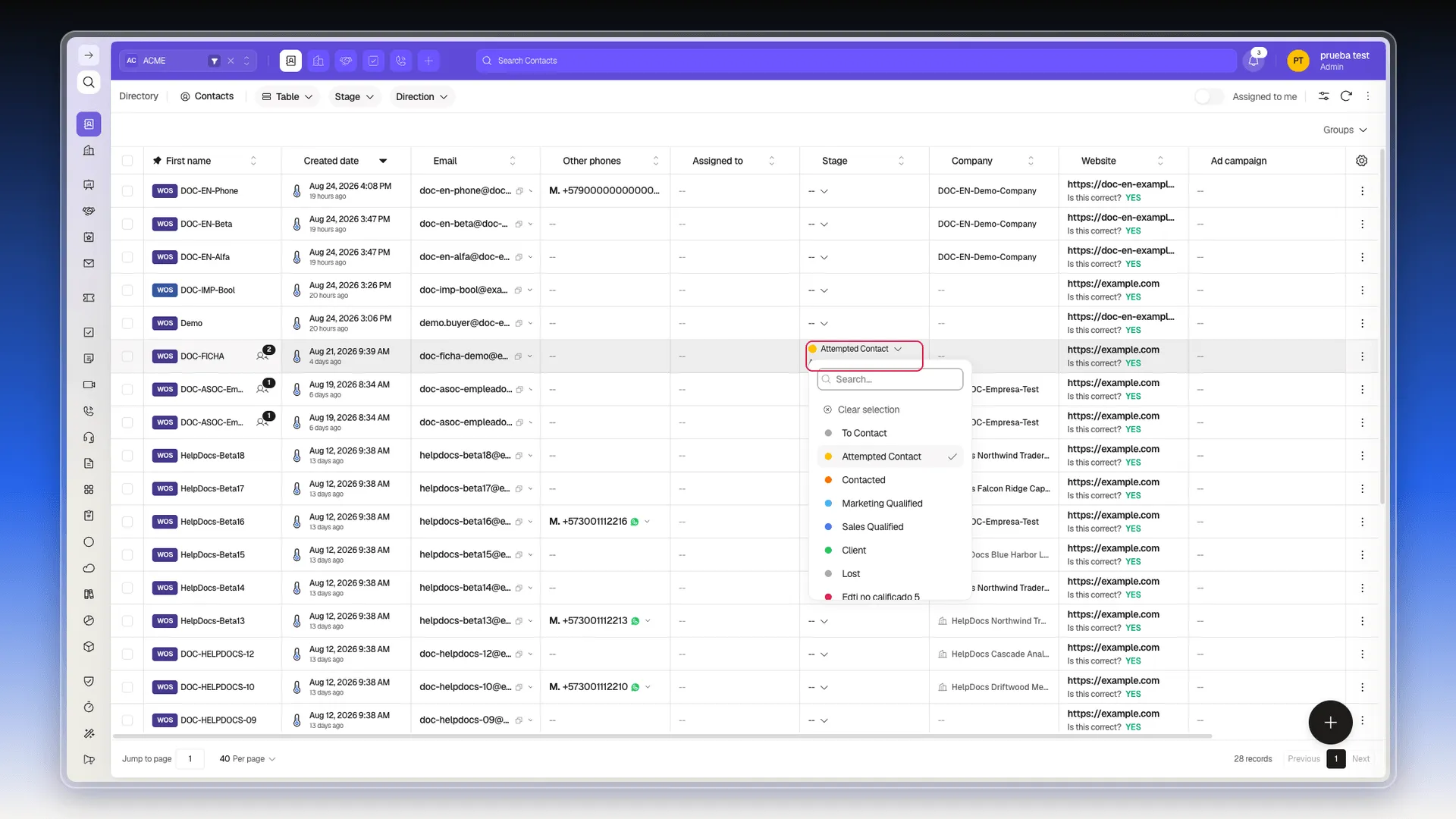
Plain-text cells — name, email, dates — don’t become editable: clicking the name opens the full record.
There is no standalone control to change a record’s workspace; Workspace can be added as a list column (see Views and columns and Workspaces).
Frequently asked questions
Click its name in the table, or open the three dots on its row and select Edit. Both routes open the same editing panel — Edit Contact, for a contact.
Yes, on cells that show a reference or a colored label — Stage, Assigned to, Company — clicking the cell opens a searchable picker right there in the row.
There is no standalone control for that; Workspace can be added as a list column to check it.
No. A contact stays a contact, a deal stays a deal, and so on — there's no flow to convert a record into another object type.
Was this article helpful?
Thanks for your feedback!