
View and manage user access to a record
In an object’s list — Contacts, in the screenshots — any row with collaborators shows a Collaborators (N) indicator next to the name, with those users’ avatars: it’s the fastest way to see, without opening the record, whether it has access shared with anyone beyond its assigned user.
Opening the record (see Open a record), the Primary section shows the Collaborators field with a chip for each added user — avatar, name, and a button to remove it. You can add more collaborators from that same selector, without leaving the record.
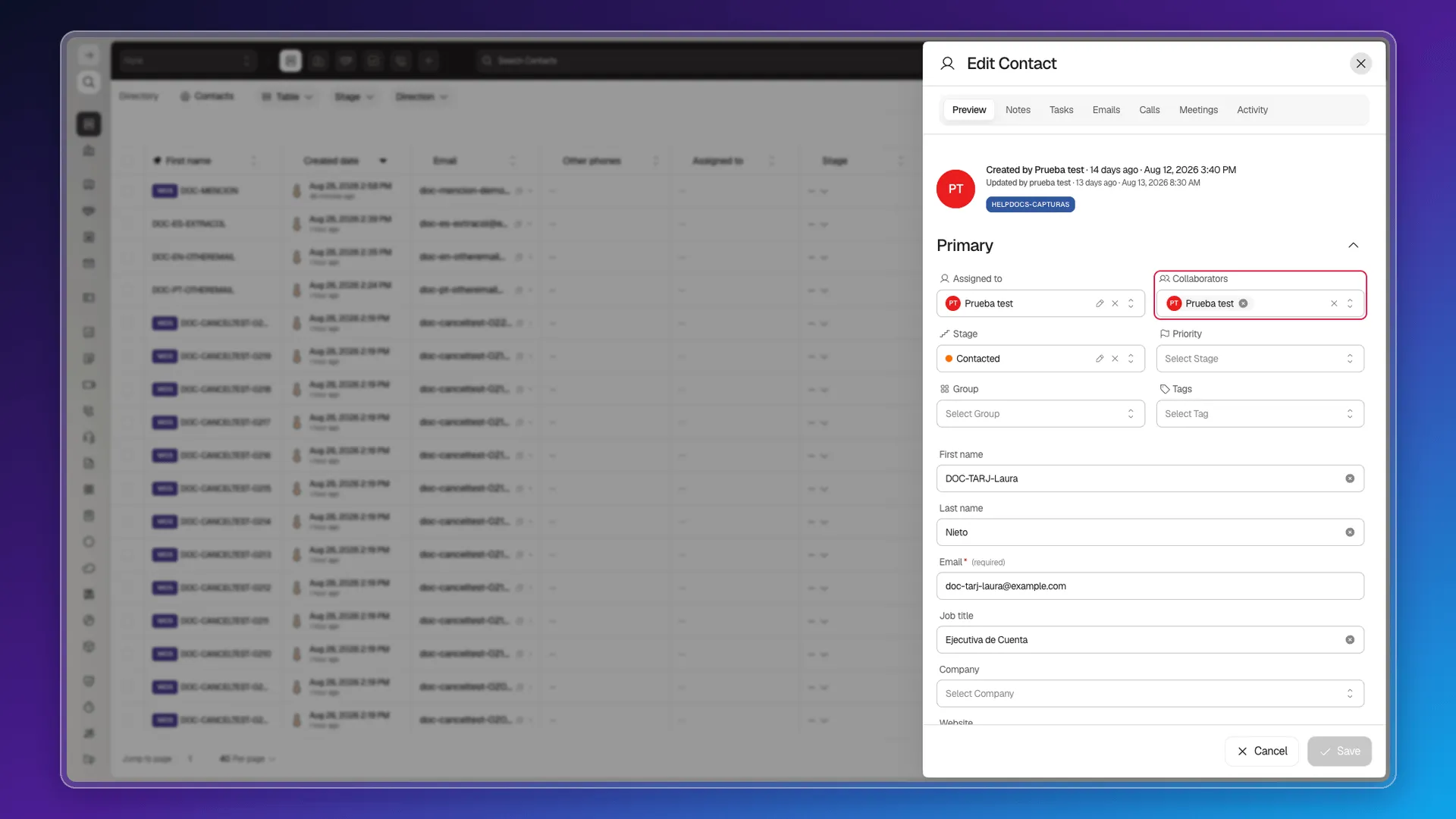
What this field doesn’t show
Section titled “What this field doesn’t show”Collaborators is only the access explicitly added to that record. It doesn’t reflect the access granted by your account’s default rule (All users, Same company, Same team…), which is configured separately in Assign access to records, nor the state of the Allow everyone to view/edit switches, documented in Identification, source, and permissions. The individual record does not bring those three access sources together in a single panel: you have to check them separately.
Seeing and changing the record’s owner
Section titled “Seeing and changing the record’s owner”A record’s owner — the Assigned to field — isn’t viewed or changed from Collaborators: the real route is the table’s Assigned to column. Its cell shows a button (-- when no one is assigned) that opens a user search and reassigns the record with one click, without needing to open the record — you can reassign it again right away to a different user.
Frequently asked questions
In the object's list, any row with collaborators shows a "Collaborators (N)" indicator next to the name. Opening the record, the Collaborators field in the Primary section shows a chip for each added user.
Yes. The Collaborators field lets you add users from its selector and remove them with each chip's button, directly on the record.
Only the explicit collaborators. The default access rule (who can see or edit any record without being an explicit collaborator) is configured separately, in Access Control → Roles — see Assign access to records.
Yes, but not from Collaborators. It's done from the table's Assigned to column: its button opens a user search and reassigns with one click, without opening the record.
Was this article helpful?
Thanks for your feedback!