
Identification, source, and permissions
After Social networks, the form continues with Assignment group (the user group responsible for handling this contact’s reception), the collapsible Other emails section, and the Direction field, with exactly two options: Inbound or Outbound. It is the same criterion used by the list’s Direction filter, not the postal address explained in Address (postal).
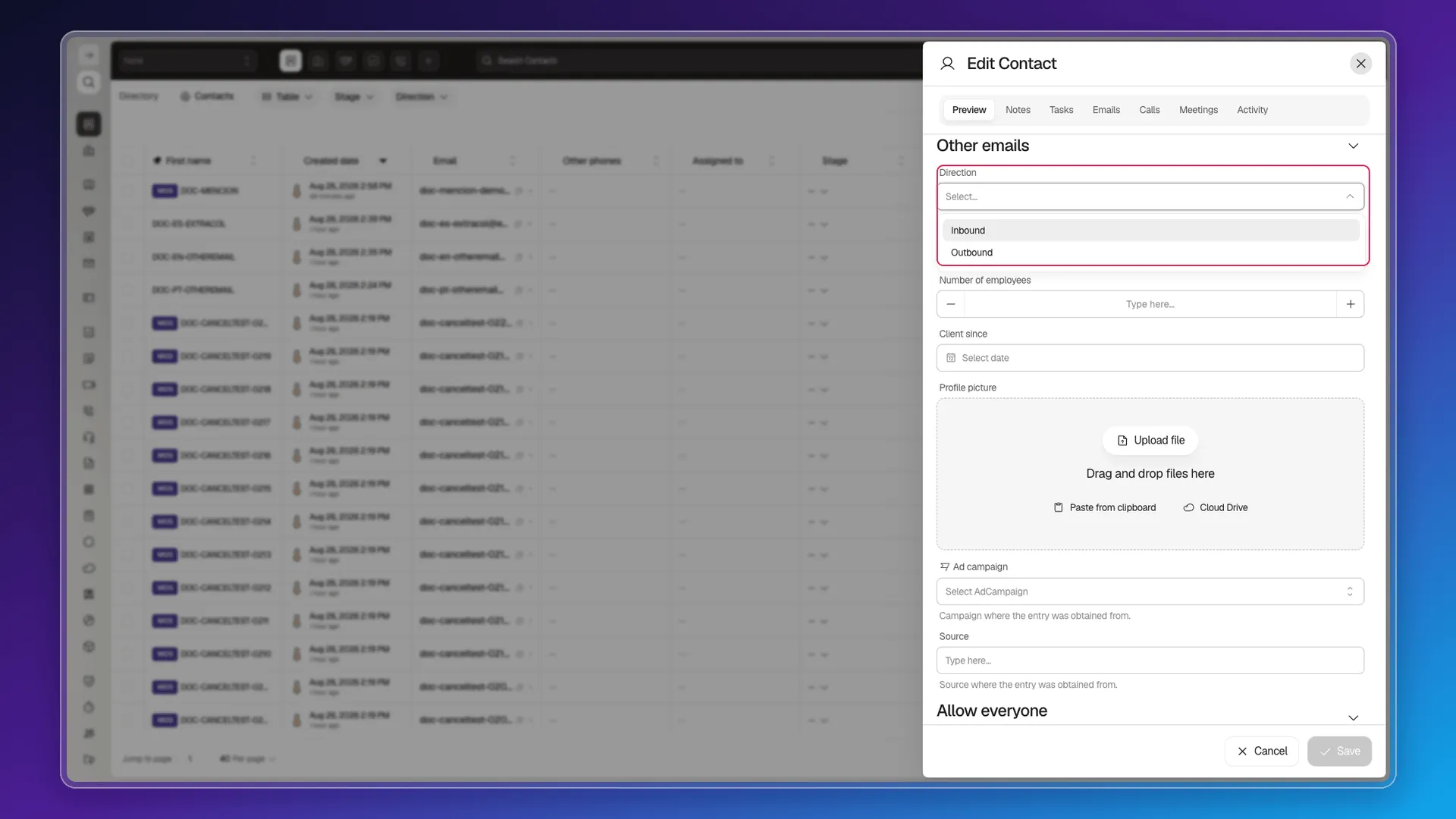
Next come Industry, Number of employees, Client since, and Profile picture (upload from a file, paste from the clipboard, or pick from Cloud Drive). The collapsible Identification section holds the document type. Ad campaign and Source come at the end. Source is a free-text field — with a placeholder and a hint describing it as the origin the record was obtained from — where you note down yourself where the contact came from: a trade show, a referral, a specific campaign. It arrives empty and nobody fills it for you: it is not completed automatically when you create the contact by hand or when you import it. Once filled in, you can show it as a list column from Configure columns.
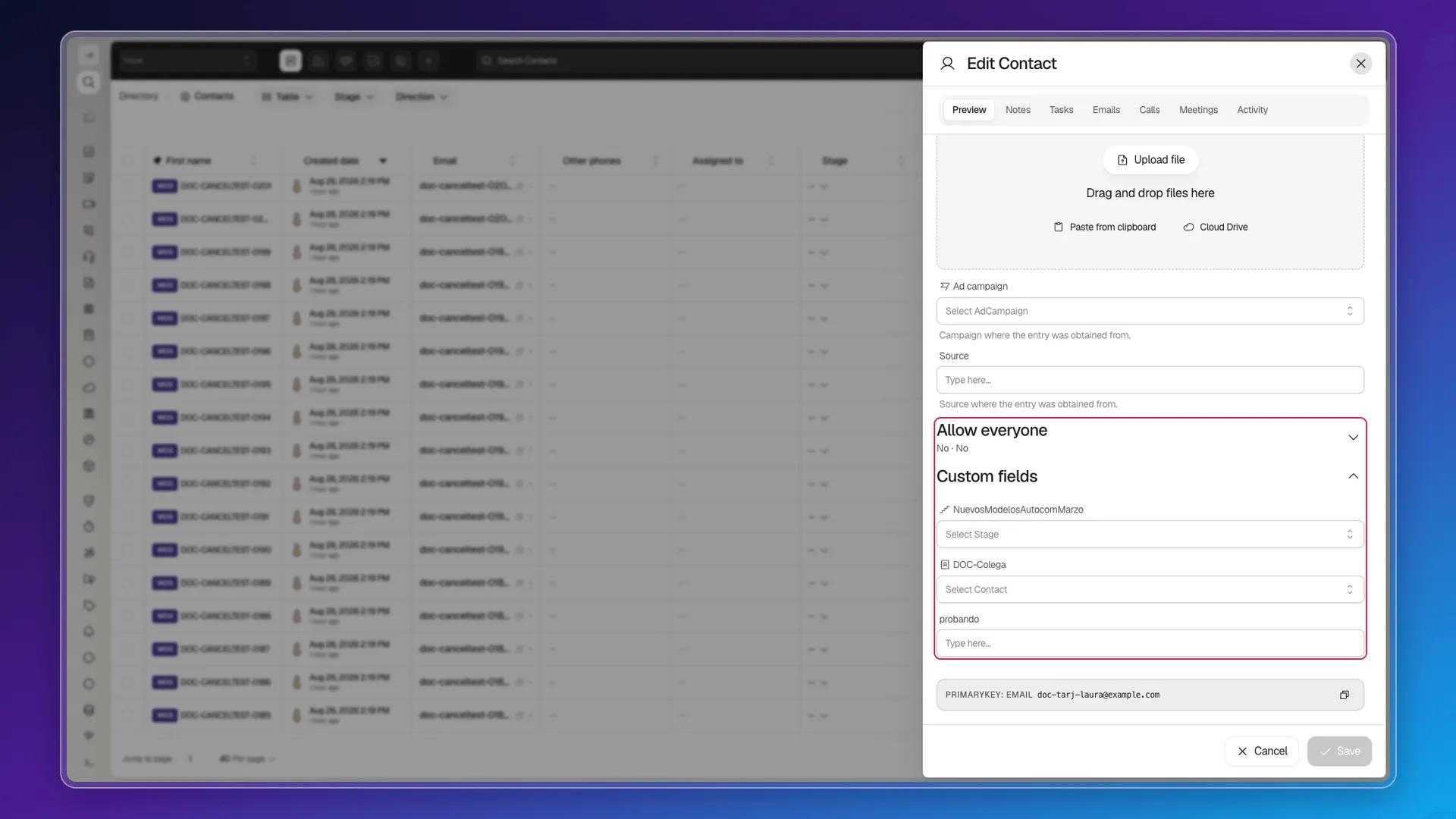
The Allow everyone switches for View and Edit control general access. Custom fields below them are configured for the account, so their names and types depend on the workspace; the test session showed one custom stage selector.
Sharing a contact
Section titled “Sharing a contact”The Allow everyone switches in this section are one of three mechanisms for sharing a contact — see the full detail in Share records with users and teams.
Frequently asked questions
See Share records with users and teams — it combines Collaborators, Assignment group, and Allow everyone view/edit.
Direction here is Inbound or Outbound, the same criterion used by the list's filter — not the postal address, which is covered in Address (postal).
Was this article helpful?
Thanks for your feedback!