
Use stage-calculated properties
Besides the fields you pick in Visible fields, every card on the board view automatically calculates how long the record has been on its current stage (for example, “Client since 56 minutes ago”) and, on stages where it applies, how long it took to get there (“Conversion time to client: 18 Minutes”).
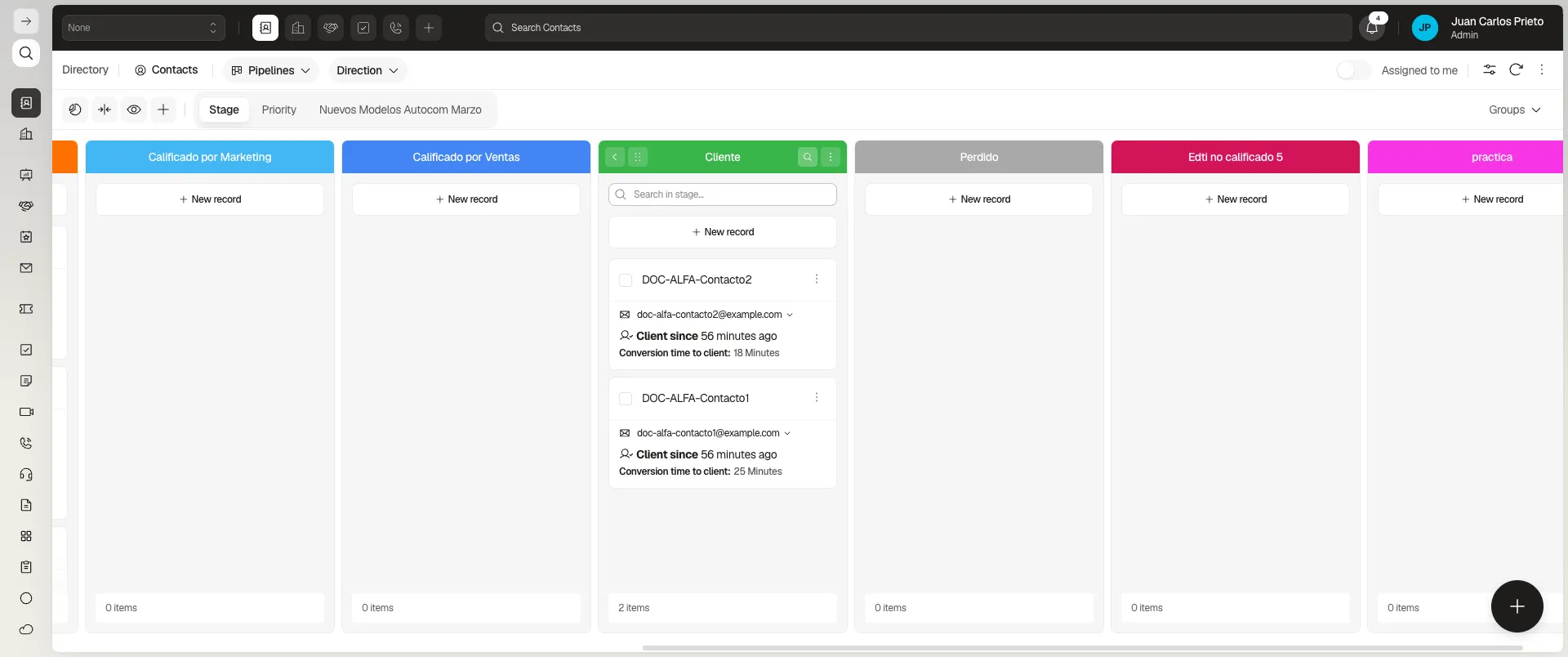
It only lives on the card
Section titled “It only lives on the card”This time cannot be brought into the table view. In Configure columns, searching for “time” or “conversion” returns no results; the only stage-related columns are Stage, Moved from stage, Stage history, and Pipeline stages, none of which carries the already-calculated time.
It is not an option in the report builder either: the Columns field is not a picker with a list of fields but a box where you type model paths (firstName, createdAt, customFields.…), so there is no time-in-stage field to choose.
In practice, if you need this figure outside the board, you currently have to calculate it yourself — for example, with a Script that writes it into a field of your own on the record.
Frequently asked questions
Yes, every board card shows it automatically (for example, "Client since 56 minutes ago").
Yes, on the stages where it applies, like "Conversion time to client: 18 Minutes".
No. That time only appears on the board view's card; it is not available as a table column or as a field in the report builder.
Was this article helpful?
Thanks for your feedback!