
Create sync properties that copy data across associated records
To have a change in a Deal field update another Contact field, the path is Development → Scripts: you write the code and hook it to the object’s lifecycle event. What follows describes the module as it appears in the app.
The Scripts module
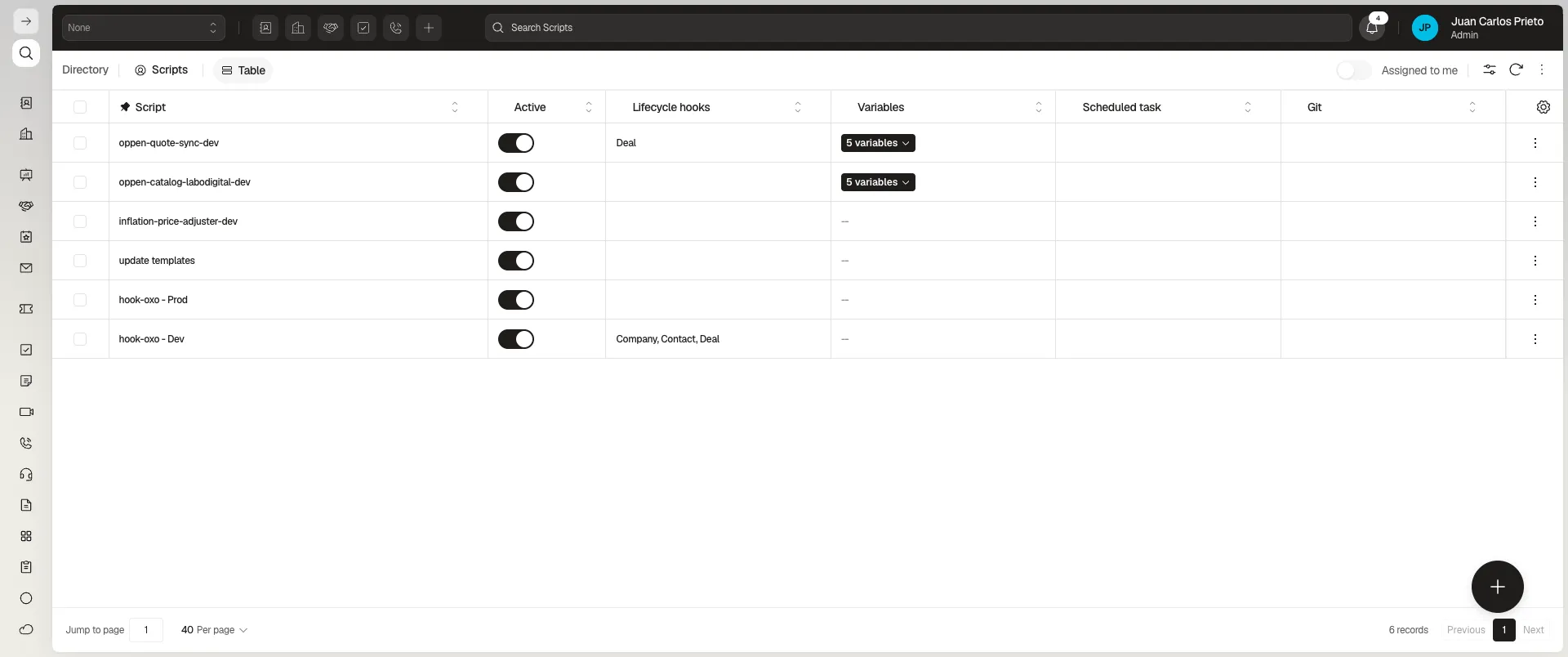
Section titled “The Scripts module”The Scripts table lists, for each one: Script (name), Active, Lifecycle hooks, Variables, Scheduled task, and Git.
Lifecycle hooks
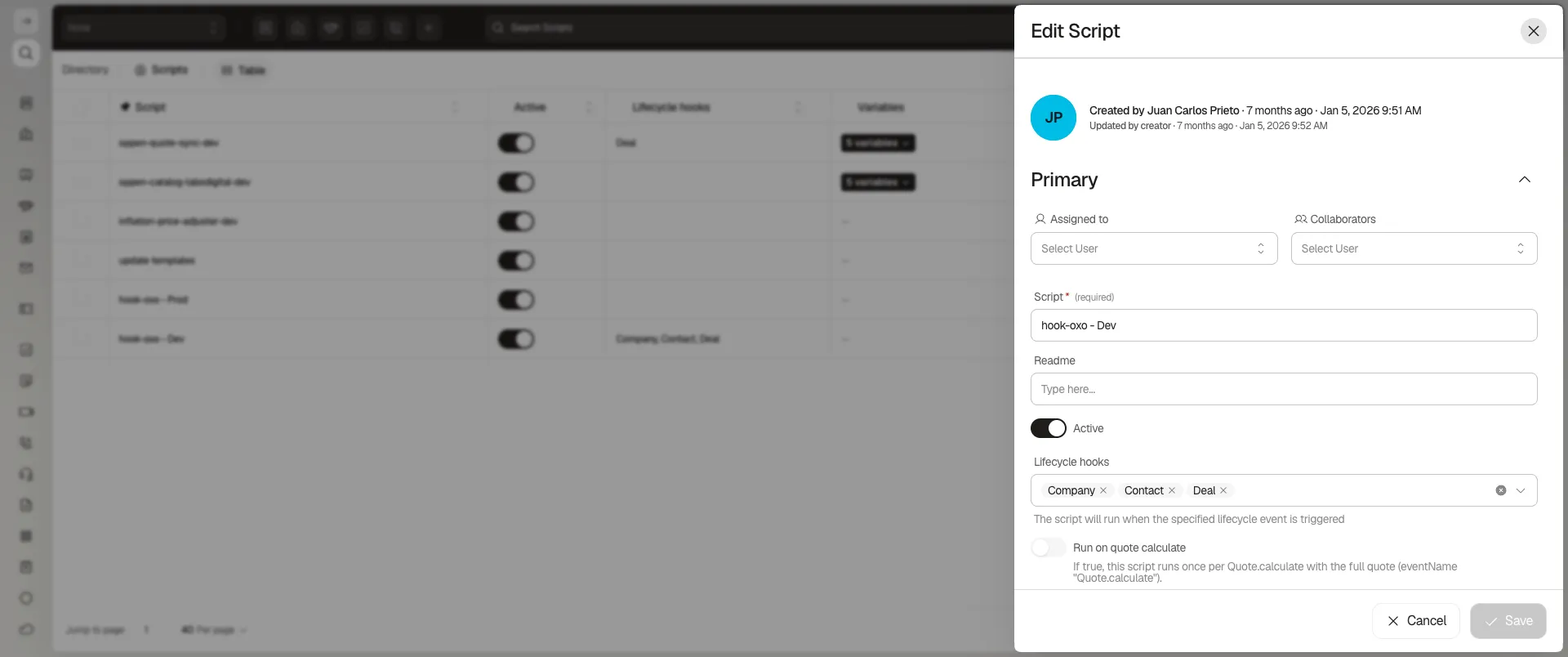
Section titled “Lifecycle hooks”When editing a script, the Lifecycle hooks field is a multi-select of system objects: a real script can have Company, Contact, and Deal selected at once. The helper text is explicit: “The script will run when the specified lifecycle event is triggered.” In other words, one script can react to changes on several objects and, inside its code, read a field from one and write it to another — that’s what makes syncing possible.
What else a script offers
Section titled “What else a script offers”Besides lifecycle hooks, each script has:
- Code (required) — a free-form JavaScript editor. A real script can use its own
EventManagerto register handlers by event name (Events.on('ApiRun', ...)), not only by object change. - Run on quote calculate — a toggle that, when on, runs the script once per
Quote.calculatewith the full quote. - Variables — script-specific variables, kept separate from the code.
- Scheduled task — with its own periodicity, to run the script on a schedule instead of (or in addition to) by event.
- Git — a linked repository (for example
https://github.com/.../hook-oxohotel.git), to version the code outside Prolibu.
Frequently asked questions
With a Script under Development → Scripts, hooked to the lifecycle event of the objects involved.
Through Lifecycle hooks — you pick the objects (for example Company, Contact, Deal) and the script runs whenever a lifecycle event happens on any of them.
Yes. The Code field is free-form JavaScript; there are real scripts that sync catalogs and quotes with external systems, not only between Prolibu records.
Was this article helpful?
Thanks for your feedback!