
Customize board cards
The eye icon on the board’s top toolbar opens a checklist to choose which properties each card shows. The fields it offers are the object’s; in Contacts, among others: Follow-up, Interest, Address, Workspace, Company and title, Contact channels, Social networks, Last call, Avatars, and Quick actions.
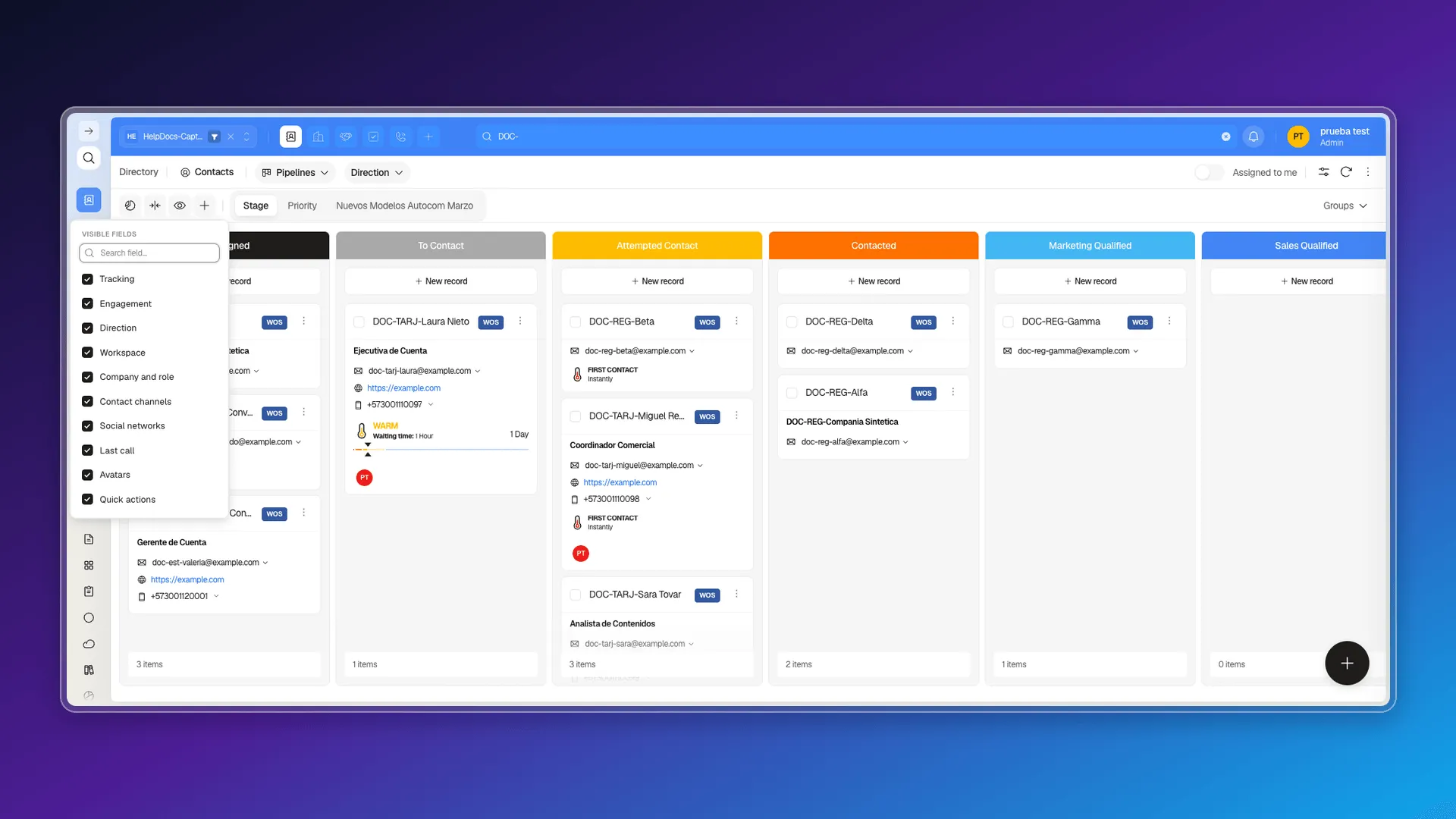
How far your selection reaches
Section titled “How far your selection reaches”Your choice of visible fields is yours and that browser’s. Checking or unchecking a box sends nothing to the server: Prolibu stores the preference locally in the browser. In practice:
- Your teammates keep seeing cards with their own setup; you can’t use this to impose a format on the team.
- Open Prolibu from another computer, another browser, or an incognito window and the cards go back to the default fields.
- Clearing the site’s browsing data loses the selection.
On top of that, each pipeline keeps its own. On Contacts, the Stage and Priority boards hold separate selections: uncheck Social networks on the Stage board, and it’s still checked after switching to the Priority one.
For what each card shows by default and its menu actions, see Using cards on records.
Frequently asked questions
Yes, with the Visible fields button on the board's toolbar, which opens a checklist of properties.
No. The selection is saved only in the browser you make it from, so your teammates don't see it and it doesn't follow you to another computer or an incognito window.
No. Each pipeline keeps its own selection — unchecking a field on the Stage board doesn't uncheck it on the Priority one.
Was this article helpful?
Thanks for your feedback!