
Create a contact list
A contact list is a named group of contacts: you choose who goes in, and the list stays saved for whenever you need it.
Open the module
Section titled “Open the module”Contact lists doesn’t appear in the side menu. There are two ways in:
- The command palette — press Ctrl + K (or Cmd + K on Mac), type
listsand pick Contact Lists under Pages. See Command palette. - Customize shortcuts, if you’ll be going there often: pin the module to the top bar and it’s one click away. See Shortcuts.
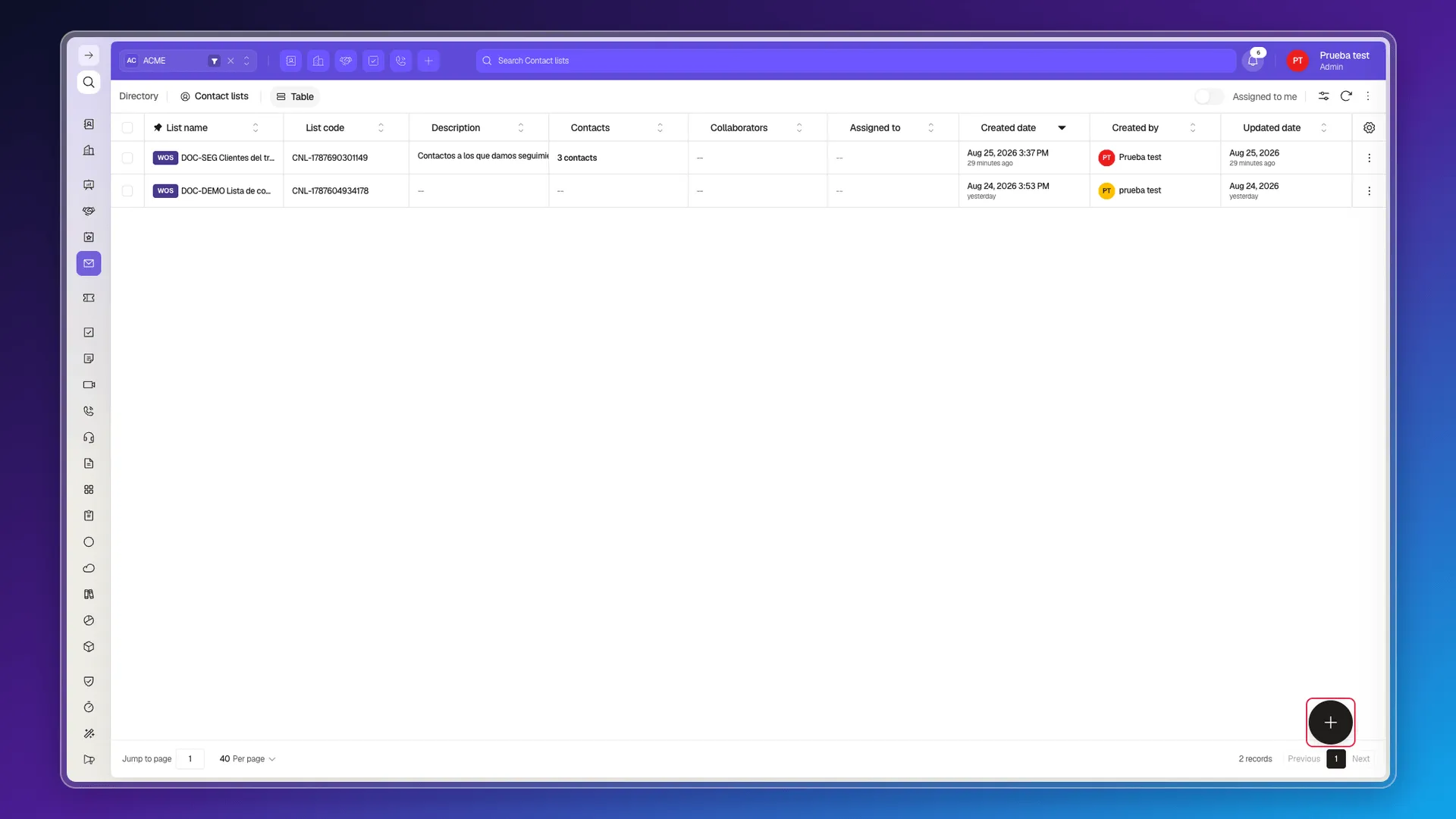
The table behaves like any other index in the Directory module: you can sort by column, filter, and choose which columns to show from Configure columns — see Customize the index page columns.
Create the list
Section titled “Create the list”Press the + button in the bottom-right corner (its label reads New Contact lists). The Create Contact list panel opens with four things you can fill in:
- List name — the only required field.
- Description — what the list is for. It shows as a column in the table, so it helps tell lists apart at a glance.
- Contacts — who goes in. You can leave this empty now and add them later.
- Assigned to and Collaborators, in the Primary section — who owns the list and who else works with it.
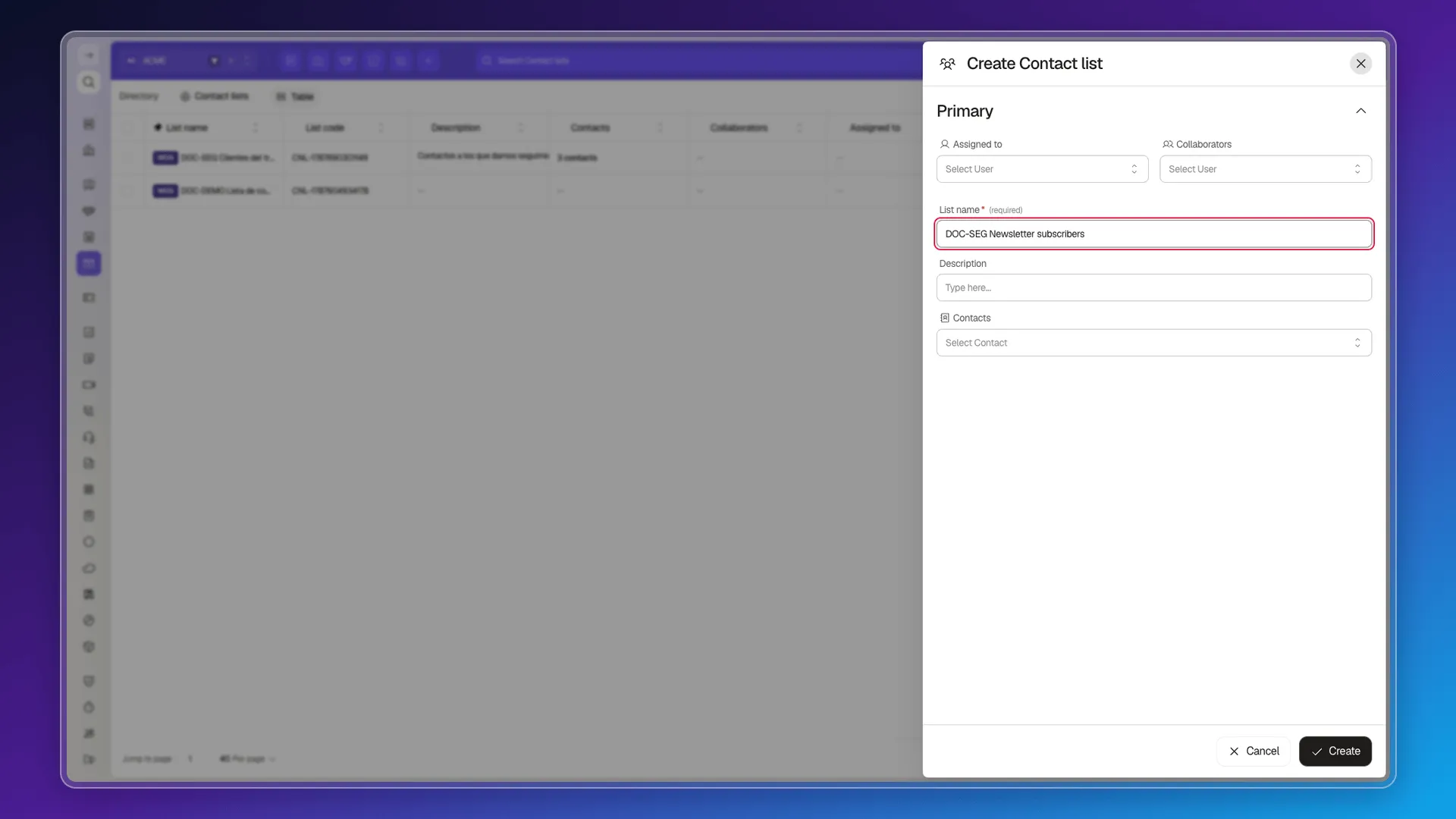
Confirm with Create. The list appears in the table with a List code that Prolibu generates on its own, in the CNL-… format, and the Contacts column shows how many members it has.
To fill it or empty it, see Add or remove contacts from a list.
Frequently asked questions
It's not in the side menu. Open it with the command palette (Ctrl or Cmd + K) by typing "Contact Lists", or pin it to the top bar from Customize shortcuts.
Only the list name. You can leave the description and the contacts for later.
No. Prolibu lists are static — you pick the contacts by hand and they stay until you change them. For something that recalculates on its own, use a saved filter.
The Contacts column of the table says so on every row, for example "3 contacts".
Was this article helpful?
Thanks for your feedback!