
Command palette
Press Cmd+K (Mac) or Ctrl+K (Windows/Linux) anywhere in Prolibu Suite to open the command palette. Use it to locate and open modules, return to recent items, or start quick actions.
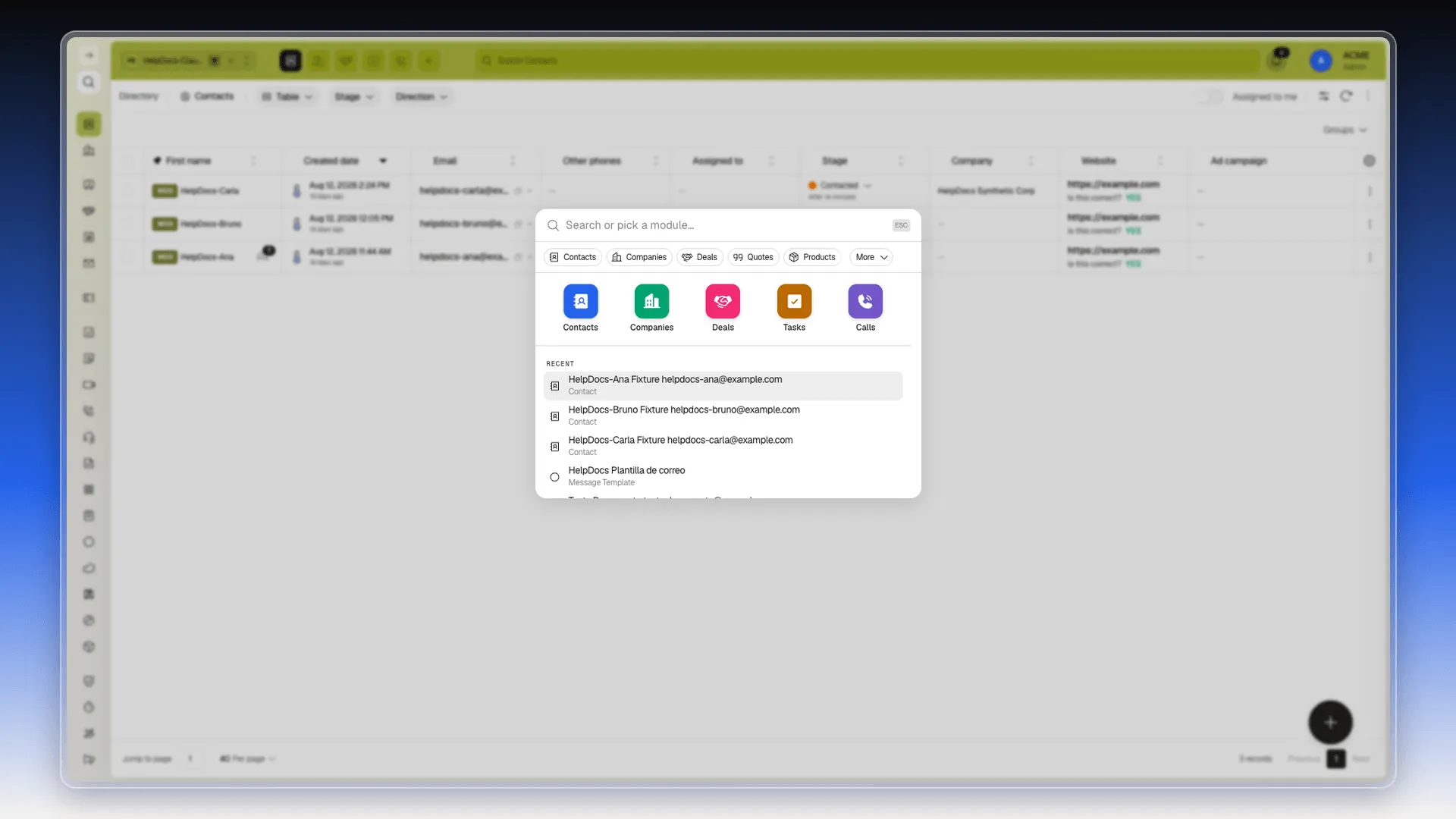
What it shows before you type
Section titled “What it shows before you type”- Available modules — select a module to open it; More gives access to other modules.
- Recents — the last records and settings screens you opened, across modules (a role, a contact, and so on).
- Actions — quick-create shortcuts such as Create Contact or Create Company.
Locate a module or action
Section titled “Locate a module or action”Type the name of the module you need, then select it from the list. You can also choose a quick action or recent item.
To find a contact, company, deal, or ticket, first open its module and use the search above its table. See Search your CRM for that search’s scope.
Frequently asked questions
The top-bar search filters records in the table of the open module. The command palette locates and opens modules, shows recents, and provides quick actions; it does not return records from the text you enter.
Press Cmd+K (Mac) or Ctrl+K (Windows/Linux) from any screen, or select the search icon in the left rail.
Modules, recent screens, and available actions. Select a module to open it, then use its table search to find records.
Was this article helpful?
Thanks for your feedback!