
Use today's date in the CRM
Prolibu uses the current date in two places: to show how much time has passed relative to today in the table, and as shortcuts when building a date filter.
What you can do
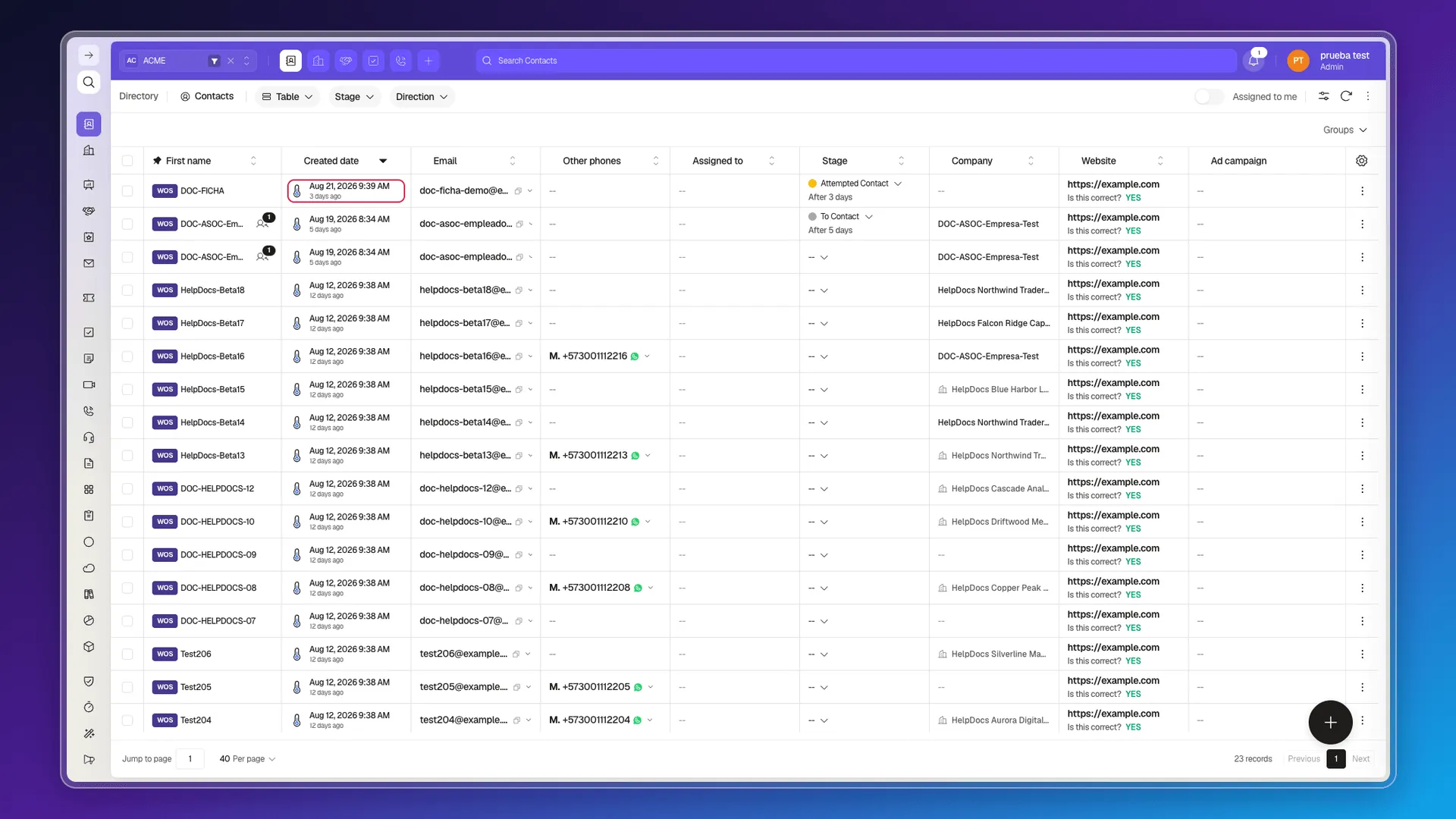
Section titled “What you can do”See relative time. The table view automatically shows how long ago each date happened, next to the absolute value: the Created date column shows “Aug 5, 2026 11:59” and, underneath, “6 days ago”. The same appears on other date-derived data, such as “Assigned 6 days ago”. There’s nothing to enable field by field.
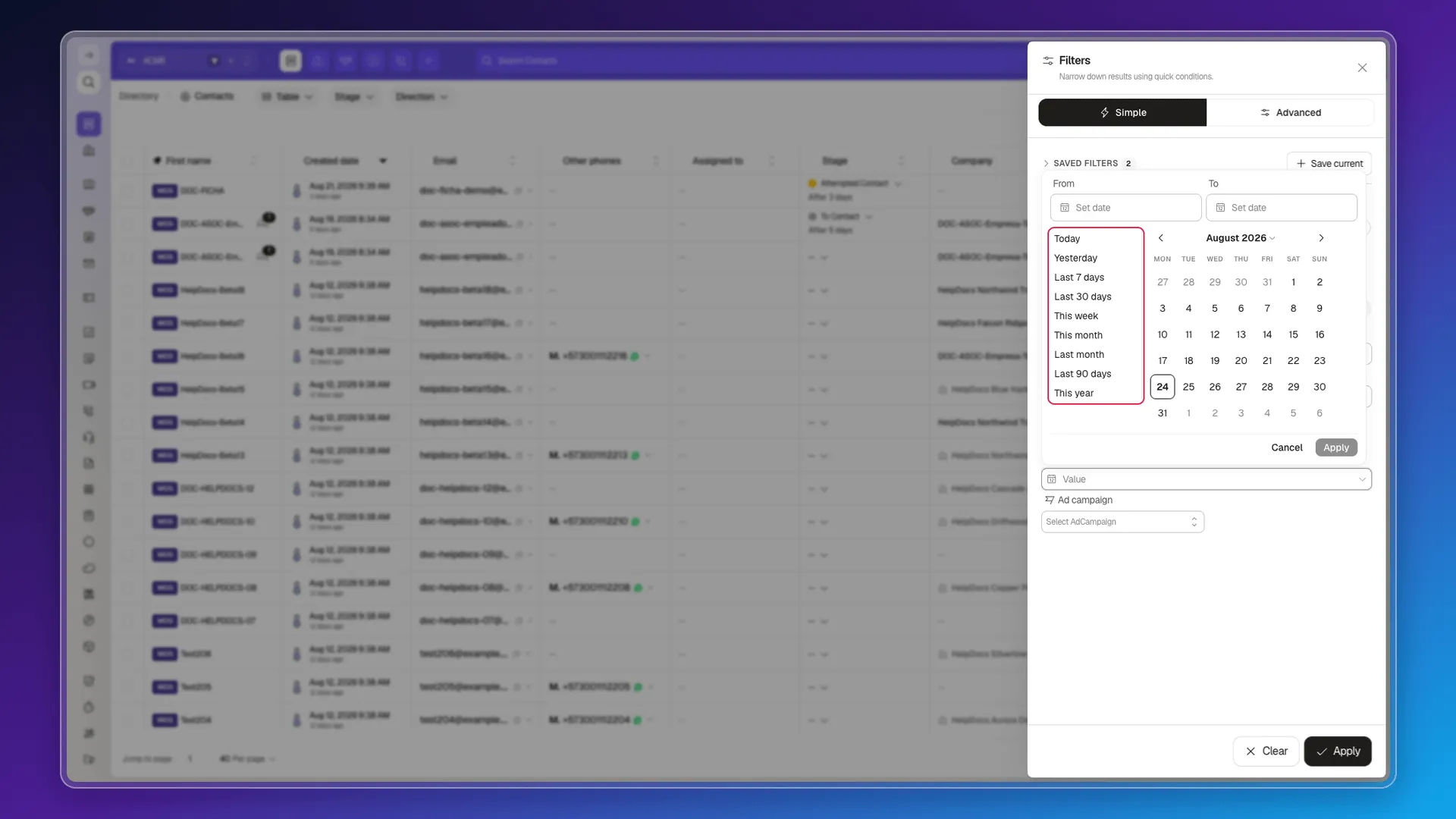
Filter with date shortcuts. Under Filters → Created date → Value there’s a From / To range with a calendar and nine shortcuts: Today, Yesterday, Last 7 days, Last 30 days, This week, This month, Last month, Last 90 days, and This year.
See time in stage. Prolibu calculates on its own how long a record has been in its current stage and how long it took to get there — see Stage calculated properties.
The important detail: shortcuts freeze the date
Section titled “The important detail: shortcuts freeze the date”When you click Today, Prolibu doesn’t store the condition “is today”: it fills the range with that day’s literal date. On August 11, 2026, Today leaves From and To at Aug 11 2026, and the resulting query is createdAt=2026-08-11..2026-08-11.
Put differently, the shortcut is a convenience so you don’t have to type the date by hand, not a filter that moves forward on its own as days pass.
The same applies when you save the filter: what gets stored is the literal date range, not the shortcut. A filter saved on August 11 with Today still shows August 11 the following week — it is not recalculated when you open it. If you need “today’s records” regularly, reapply the shortcut instead of saving a view.
Picking the date in the selector doesn’t confirm it on its own — you need to click Apply for the condition to become active on the filter. That’s the same requirement as any other field in the Filters panel: Save current saves the conditions that are already applied, not whatever is left half-set. If you click Save current with a date picked but without clicking Apply first, the filter is saved without that condition.
Workaround
Section titled “Workaround”If you need to compare a record’s date against the current date (for example, to know whether a deal is overdue), that logic has to be resolved outside the field — for example, with a Script that calculates it and writes it to the record.
Frequently asked questions
Yes. The Filters panel comes with nine date shortcuts: Today, Yesterday, Last 7 days, Last 30 days, This week, This month, Last month, Last 90 days, and This year. Note that the shortcut fills in a fixed date range, not a condition that recalculates on its own.
Yes, the table view shows it automatically next to the absolute value (for example, "Aug 5, 2026 11:59" with "6 days ago" underneath).
Date Picker and Date List, both for capturing a fixed date that someone types or picks, not a calculated value.
Was this article helpful?
Thanks for your feedback!