
Sync tasks to your Google or Outlook calendar
Prolibu does not sync tasks to external calendars. There’s no option to connect Google Calendar or Outlook and have tasks show up there as events.
What there is, is a calendar inside the module itself.
The Calendar view
Section titled “The Calendar view”In the Tasks module, open the view picker next to Tasks and choose Calendar.
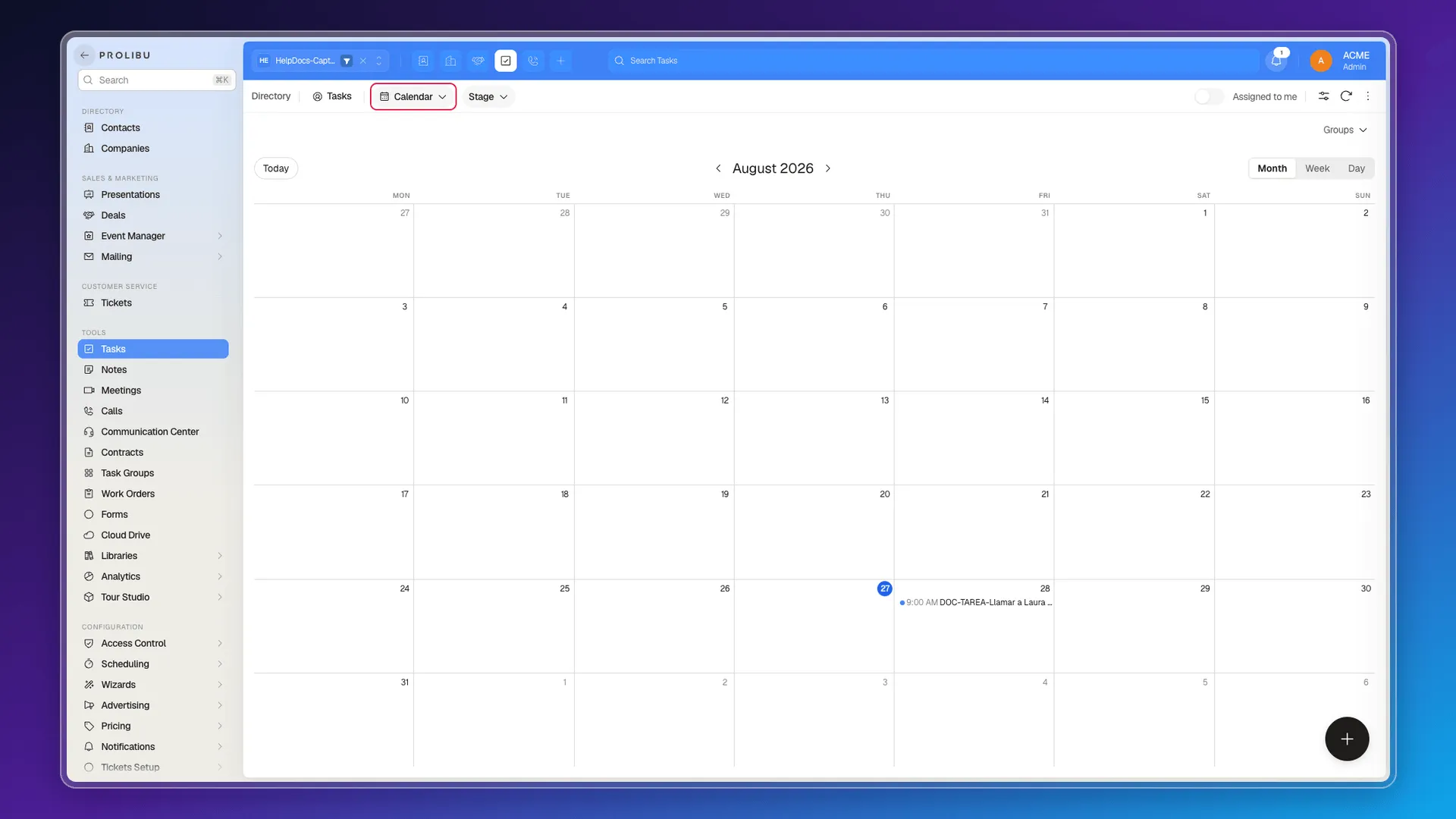
The view has:
- Month, Week, and Day tabs.
- A Today button and arrows to move between periods.
- Each task placed on its due date, with the time in front of the title.
Clicking a task opens its panel, so you can review the week and adjust dates without switching views.
Filters still apply, so the calendar can be narrowed to one owner or one group.
If you need tasks outside Prolibu
Section titled “If you need tasks outside Prolibu”The available exit is exporting them to Excel or JSON. It’s a one-off download: whatever you change afterwards in Prolibu isn’t reflected in that file, and vice versa.
What’s left out
Section titled “What’s left out”- Connecting a Google or Outlook sub-calendar for tasks.
- Having a new task show up as an event in that calendar.
- Seeing the notes and associated records from the external calendar event.
Prolibu’s Scheduling module handles calendars and events, but it’s a different object: tasks aren’t published into it.
Frequently asked questions
No. There is no sync that carries Prolibu tasks into an external calendar.
In the Tasks module's own Calendar view, with month, week, and day.
It places each task on its due date, at whatever time you set.
Exporting them to Excel or JSON. That's a snapshot, not a sync.
Was this article helpful?
Thanks for your feedback!