
Stage
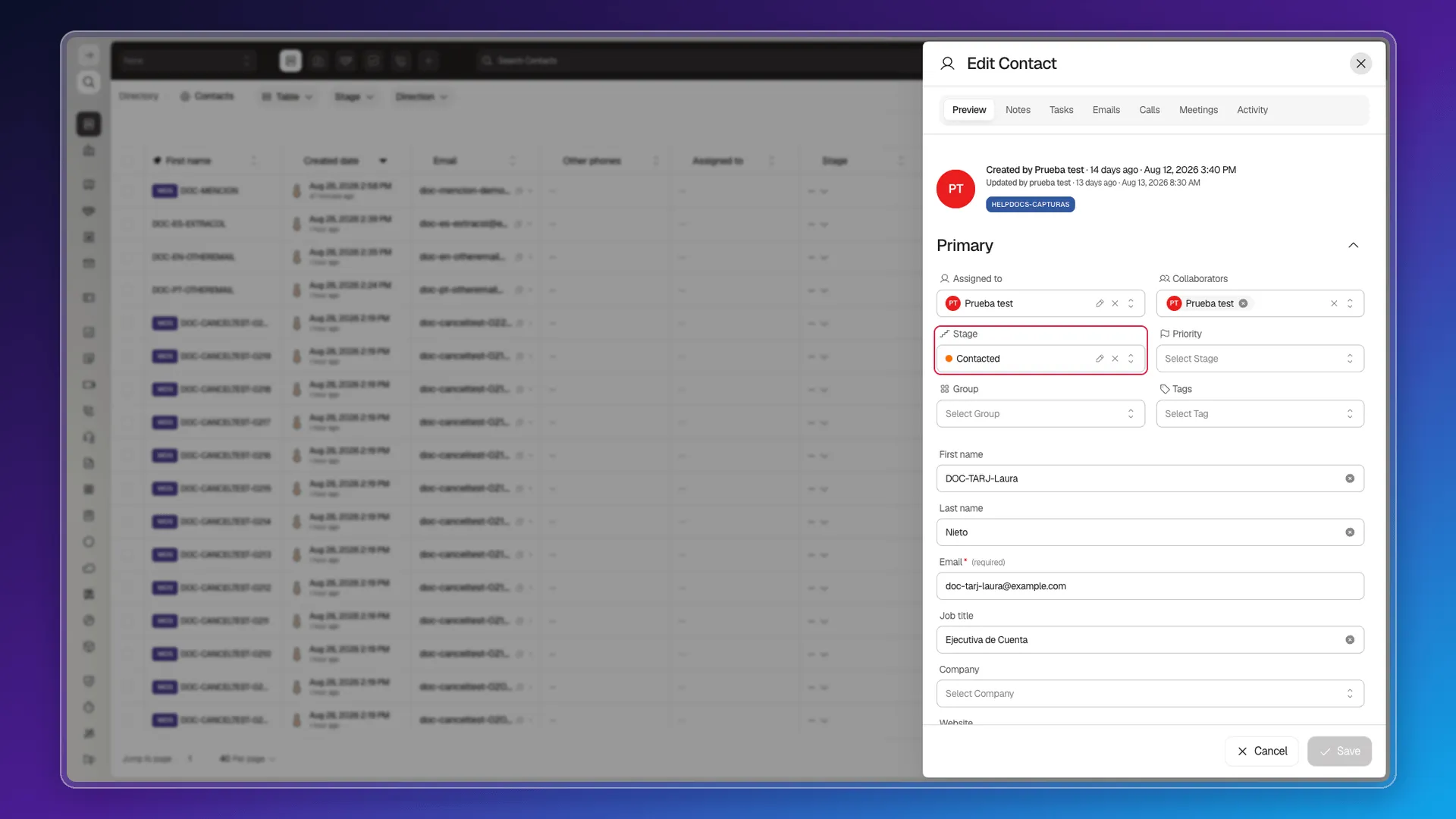
Stage is one of the selectors in the Primary section when creating or editing a contact. The values are account-level data, not fixed interface text — anyone with access to the stage catalog can rename them or add new ones; in the test session, the selector included Por Contactar, Intento de Contacto, Contactado, Calificado por Marketing, Calificado por Ventas, Cliente, Perdido, and additional custom workspace stages.
Which stages exist, the order they appear in, their color, and which fields are required to enter each one are set in Stages and pipeline rules. The board view organizes contacts by this same property, and stage changes on a related deal are recorded in the contact’s activity.
Stage names don’t get translated: they’re a value stored on the account, not interface text, so they look the same even if you switch your profile’s language to Spanish or Portuguese.
Frequently asked questions
Stage is one of the selectors in the Primary section when creating or editing a contact.
They're account-level data, not fixed interface text — anyone with access to the stage catalog can rename them. In the test session, the Stage chip on the list showed Por Contactar, Intento de Contacto, Contactado, Calificado por Marketing, Calificado por Ventas, Cliente, Perdido, and additional custom workspace stages.
No. They're a value stored on the account, not interface text — they look the same no matter which language you pick.
Was this article helpful?
Thanks for your feedback!