
Tag a user on a record
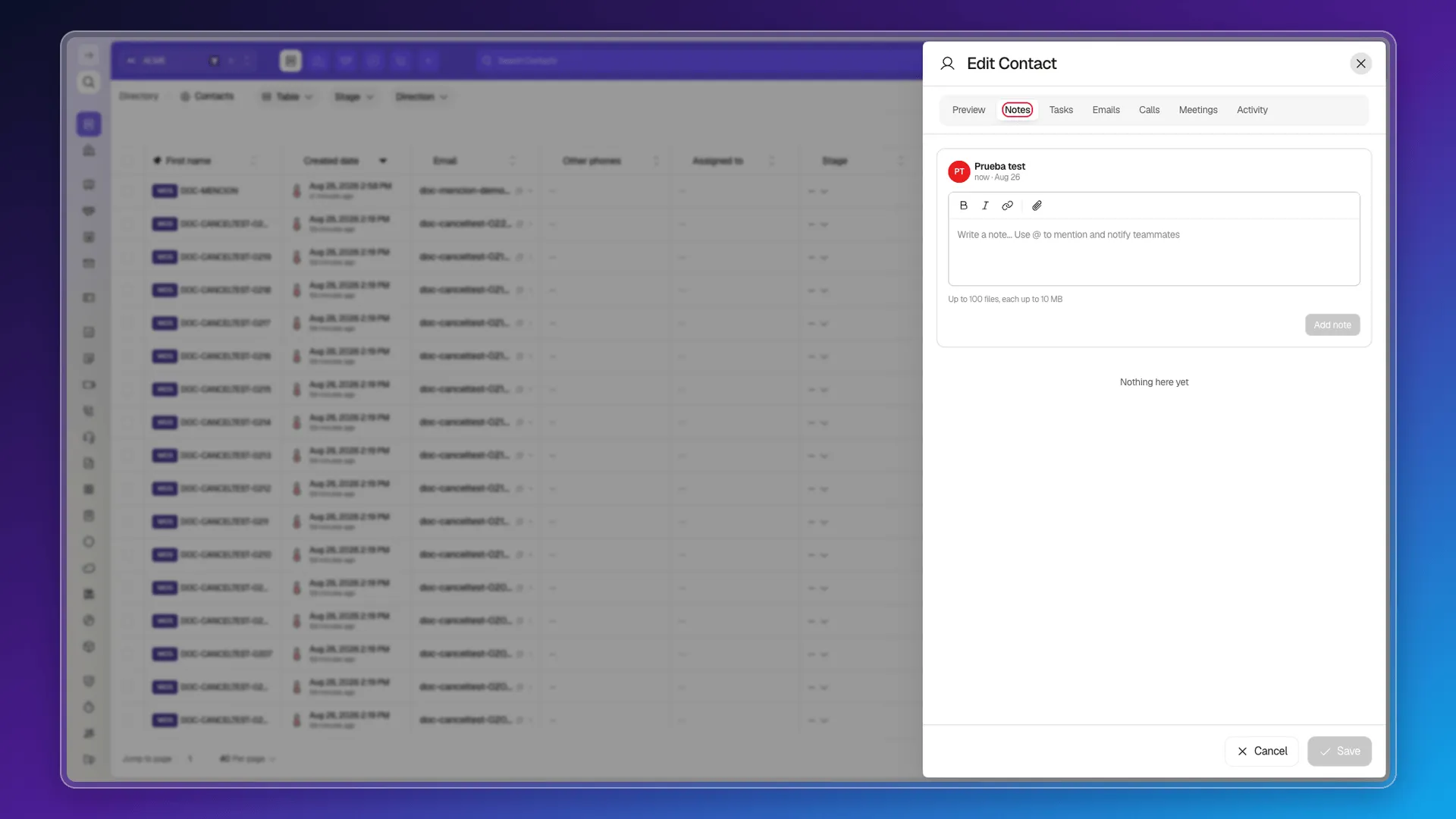
Inside a note’s editor you can type @ followed by a colleague’s name or email to mention them. It’s on the Notes tab of the record’s page.
The mention search
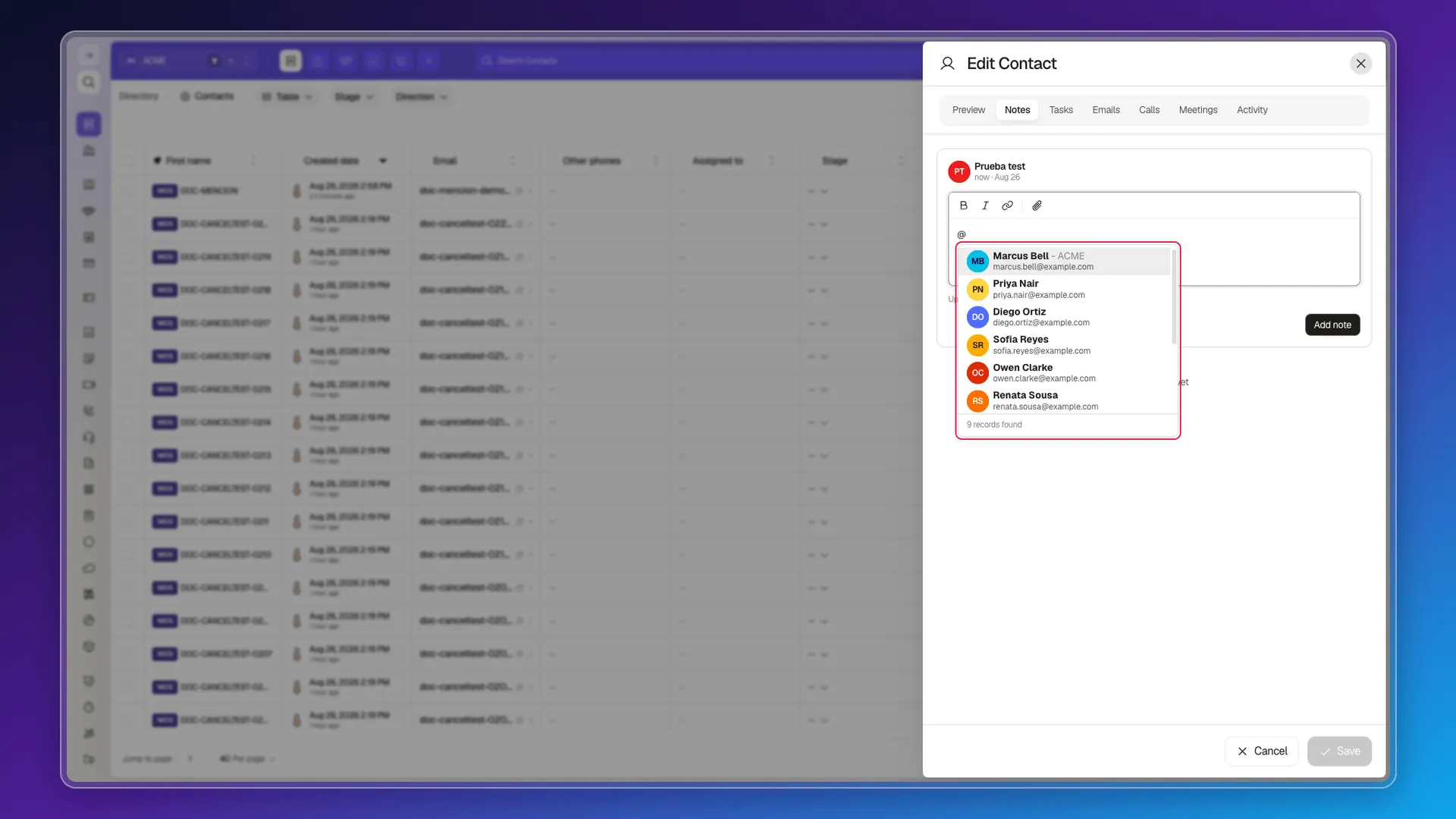
Section titled “The mention search”Typing @ opens a real-time suggestions panel: each result shows the person’s avatar, full name and email, and the panel’s footer states how many records were found in total. You don’t need to type the full name — the first few letters are enough to filter the list.
What gets saved
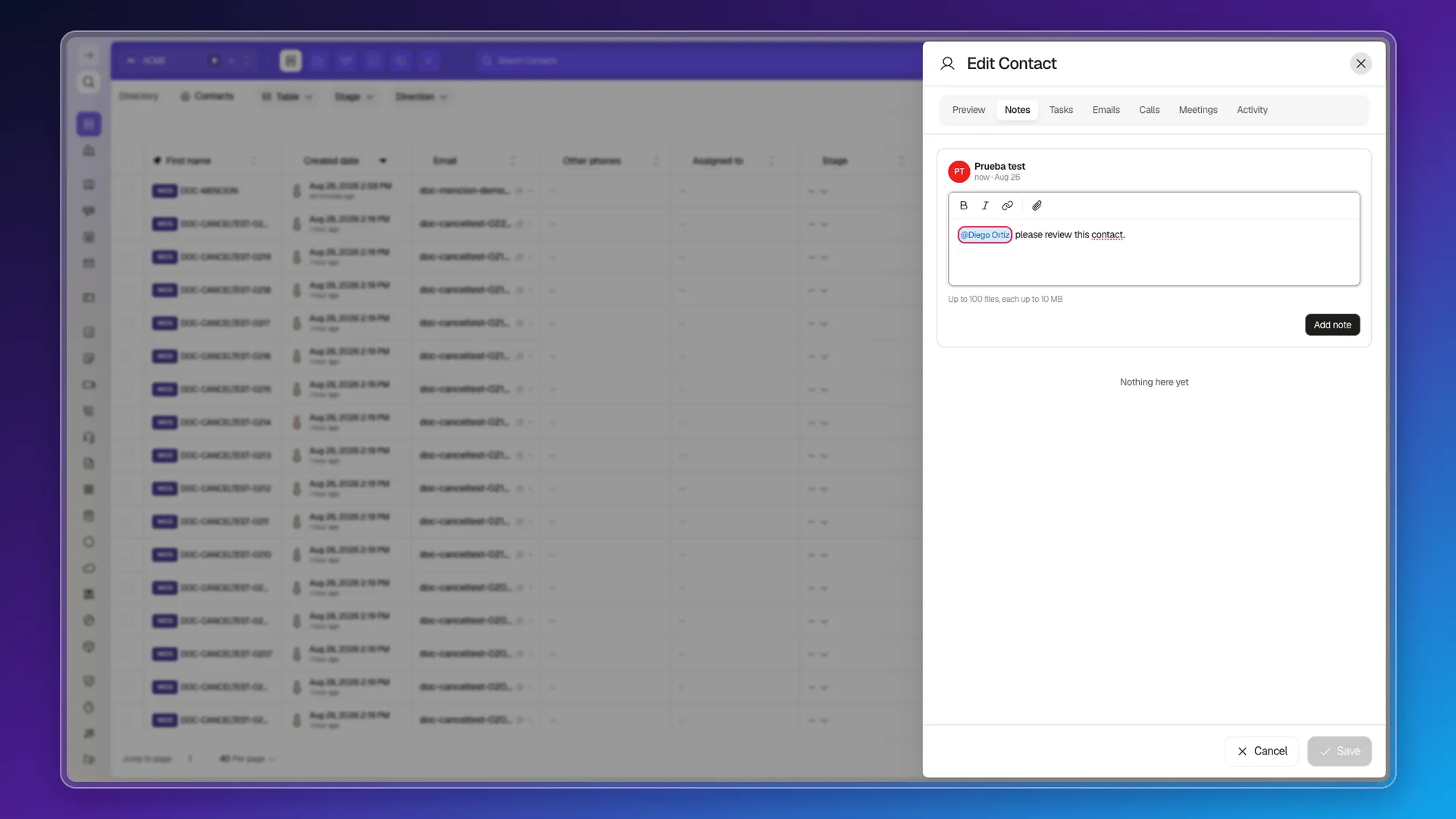
Section titled “What gets saved”When you pick someone from the list, the note doesn’t save the text you typed to search: it inserts a real mention with the person’s full name, visually distinct from the rest of the note’s text.
It notifies the team — with one point left unconfirmed
Section titled “It notifies the team — with one point left unconfirmed”The note editor’s own hint text, shown before you type anything, reads “Use @ to mention and notify the team” — that’s a claim from the product itself, not an assumption.
Mentioning yourself does not produce a new notification in your own notification center, which makes sense: nobody needs to be alerted about their own action. Mentioning another real user on the account completes the mention correctly (the search shows up, it saves as expected), but confirming the notification actually reaches them means logging into their account. For now, the editor’s hint text is the most reliable source available, not something watched arriving on the other end.
Frequently asked questions
Inside a note's editor, on the Notes tab of a Contact's record.
Type @ followed by at least part of the name or email. A search panel appears with each match's avatar, full name and email, and a footer showing the total number of results found.
As a real mention — it inserts an element with the person's full name, not the text you typed while searching.
The editor itself says so in its own hint text: “Use @ to mention and notify the team.” Mentioning yourself doesn't produce a new notification (expected), but confirming the alert reaches someone else needs logging in with a second account — that's still open to verify.
Was this article helpful?
Thanks for your feedback!