
Edit the default address to send one-to-one emails from
HubSpot devotes an article to choosing which of several connected inboxes is used by default when you write from a record. In Prolibu that choice doesn’t exist as a setting: the sender is simply the account you authorised.
Where the sender comes from
Section titled “Where the sender comes from”Every email stores three identity fields — From, From name and Reply to — and the connected provider fills all three. The form you see when composing asks for recipient, subject, attachments and body; it doesn’t ask for a sender.
That connection is made under Account → Apps Centre, which opens the Apps Hub.
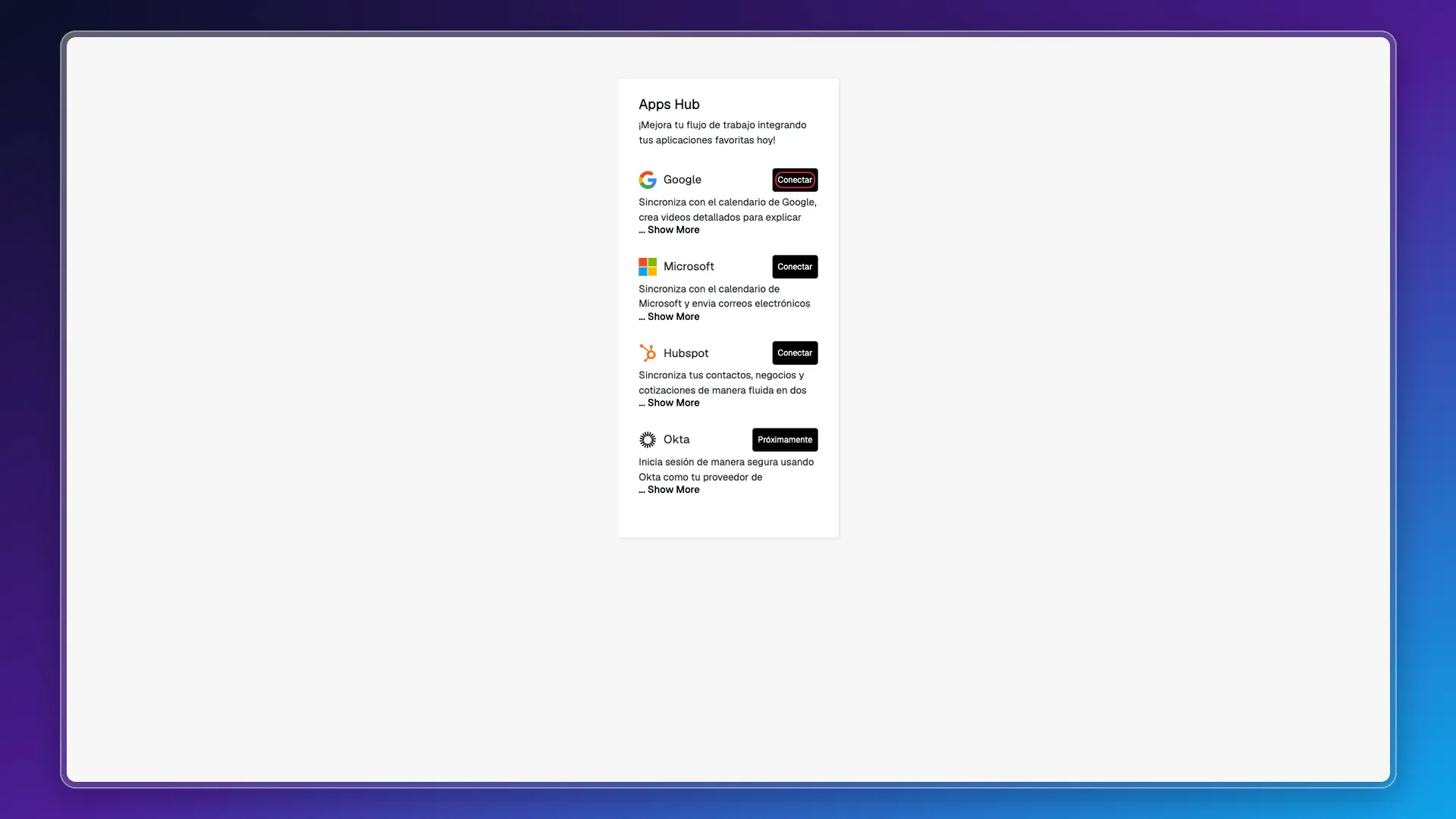
Four integrations show up there: Google (“Sync with Google Calendar, create detailed videos to explain your proposals, and send personalised emails seamlessly”), Microsoft (“Sync with Microsoft Calendar and send personalised emails effortlessly using your Microsoft mail account”), Hubspot (syncing contacts, deals and quotes) and Okta, still listed as Coming soon.
There’s a second path to the same place: the Create Email Campaign form shows the providers with an inline Connect when none is available, and the Emails tab of any record offers Connect Google in the same notice.
Which providers appear as enabled for sending depends on the account settings, under Preferences → Oauth Providers: each provider has its toggle and its extended scopes, among them send email on behalf and read and write email. In the account we used for this documentation Google was enabled and Microsoft wasn’t, which is why the contact record only offered Connect Google.
What you can edit: the signature
Section titled “What you can edit: the signature”The part of the sender that is in your hands is the signature. Under Account → Edit profile, the Email signature field is a full HTML editor, with the hint “HTML signature for outgoing emails”.
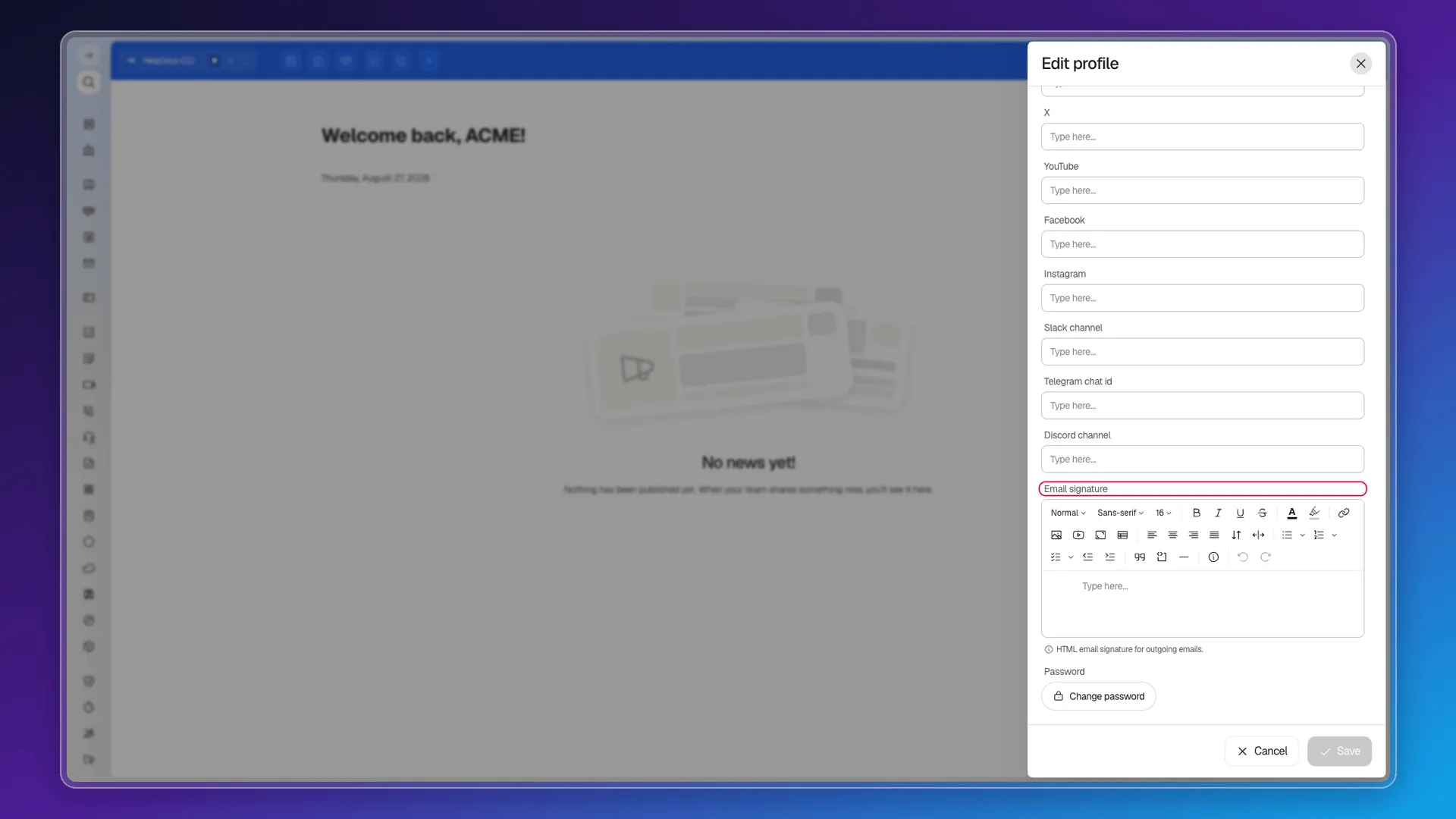
It’s a per-user signature, not per account or per inbox: everyone edits their own in their own profile. The editor offers styles, font and size, bold, italic, underline, strikethrough, colour, highlight, link, image, YouTube video, iframe, table, alignments, lists, quote, code block, rule and callout.
On that same screen the Email field is read-only: it’s the address you sign in to Prolibu with, and it has nothing to do with the address messages go out from.
What’s missing compared with HubSpot
Section titled “What’s missing compared with HubSpot”- There’s no list of connected inboxes to choose from, and no “Edit default from address” action inside the email itself.
- There’s no sender name editable from the interface.
- There’s no equivalent of HubSpot’s distinction between the default sender for new emails and the one used for replies or shared-inbox messages.
Frequently asked questions
There's no picker. The sender is the Google or Microsoft account you authorised under Account → Apps Centre, and the email fills it in on its own.
We couldn't confirm it. The Apps Hub offers one Connect button per provider rather than a list of inboxes, and the email form never asks you to choose a sender.
By connecting a different account in the Apps Hub. That's the route that exists: the sender follows the authorisation, not a setting inside the CRM.
The email stores a From name, but we found no field to edit it from the interface; the connected provider supplies it.
Was this article helpful?
Thanks for your feedback!