
Edit or delete tasks
A task is edited wherever you run into it. The fields are the same; what changes is how many you see at once.
Editing a task
Section titled “Editing a task”In the table or on the board, open the task’s Actions menu and choose Edit. The full panel opens, with the same fields you saw when creating it.
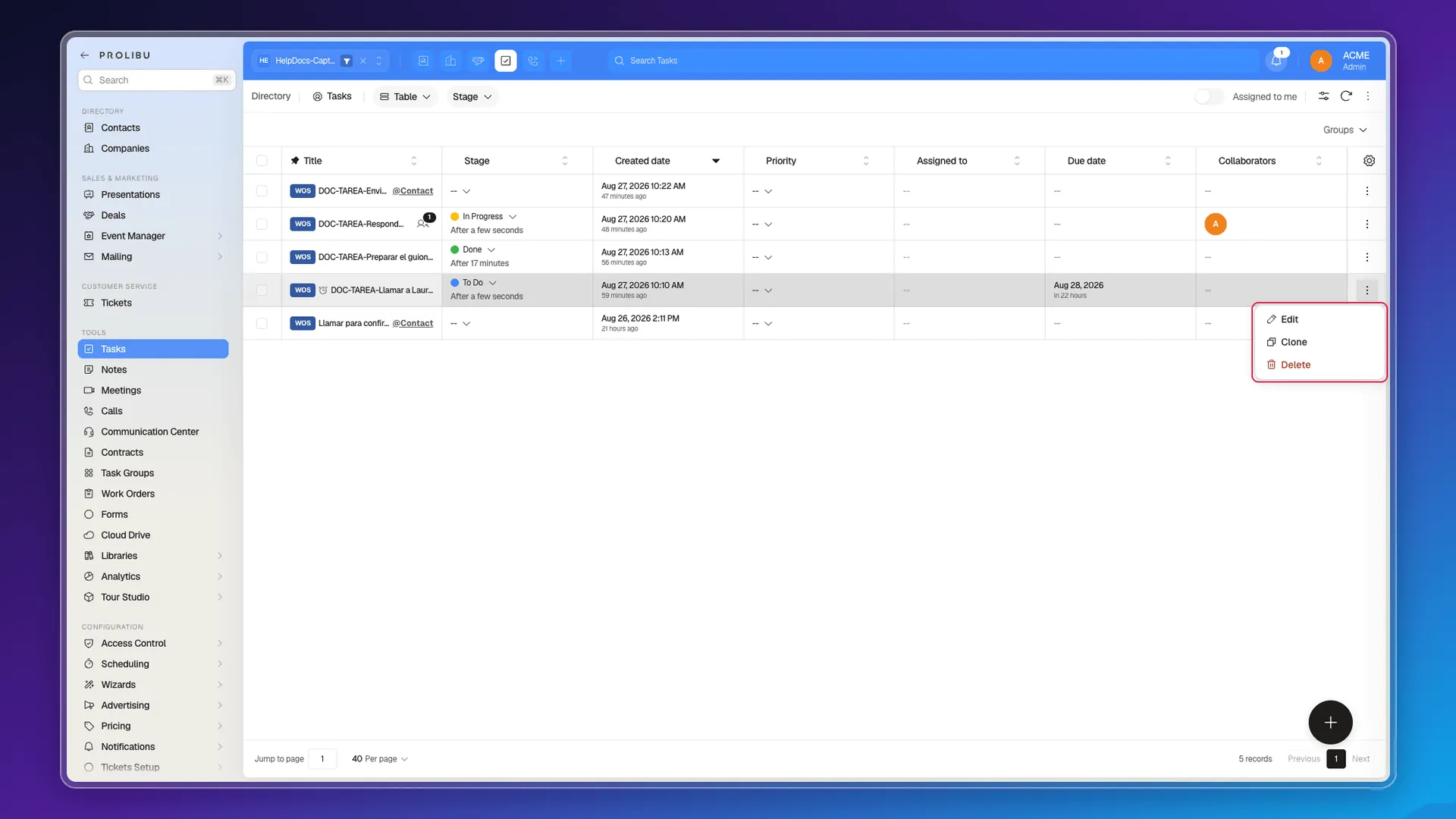
The Table view has a shortcut: the Stage, Priority, and Assigned to cells are edited in place, without opening anything. One click on the cell drops the options open and the change saves itself.
From a contact’s record, each task card lets you touch Stage, Dates, and the title itself without leaving the tab.
Changing a field across several tasks
Section titled “Changing a field across several tasks”Tick the tasks’ checkboxes and, in the bottom bar, choose Edit selected. The dialog tells you how many records the change will hit.
Pick the field, set the value, and confirm with Apply to N records. Add field lets you queue several changes and apply them in one pass.
The available fields cover nearly the whole record: Assigned to, Collaborators, Company, Comments, Description, Stage, Tags, Group, Priority, Checklist, the four blocker types, the start and due dates, the reminder, and the users to notify.
Cloning a task
Section titled “Cloning a task”Actions → Clone creates a copy. Since Prolibu has no recurring tasks, cloning is the practical way to repeat a weekly task without retyping its fields.
Deleting tasks
Section titled “Deleting tasks”Actions → Delete removes a task. For several, tick them and use Delete selected in the bottom bar.
Frequently asked questions
With Actions → Edit on its card or row, by clicking a cell in the table, or from the task card in a record's Tasks tab.
Yes. Tick them, use Edit selected, and pick the field. Unlike other tools, you can add several fields in the same step.
No. Prolibu has no trash; deleting a task is permanent.
It creates a copy of the task. It's the closest thing to repeating a recurring task, because there's no automatic repetition.
Was this article helpful?
Thanks for your feedback!