
Assign tasks to contacts
Two things that sound alike need pulling apart here: who does the task and who the task is about.
Who does the task
Section titled “Who does the task”The Assigned to field only accepts users on the account. You can’t set a contact as the owner, so there’s no way to hand a customer a task for them to resolve and mark done from their side.
Who the task is about
Section titled “Who the task is about”The link to a contact is made from the record. Open the contact and go to the Tasks tab.
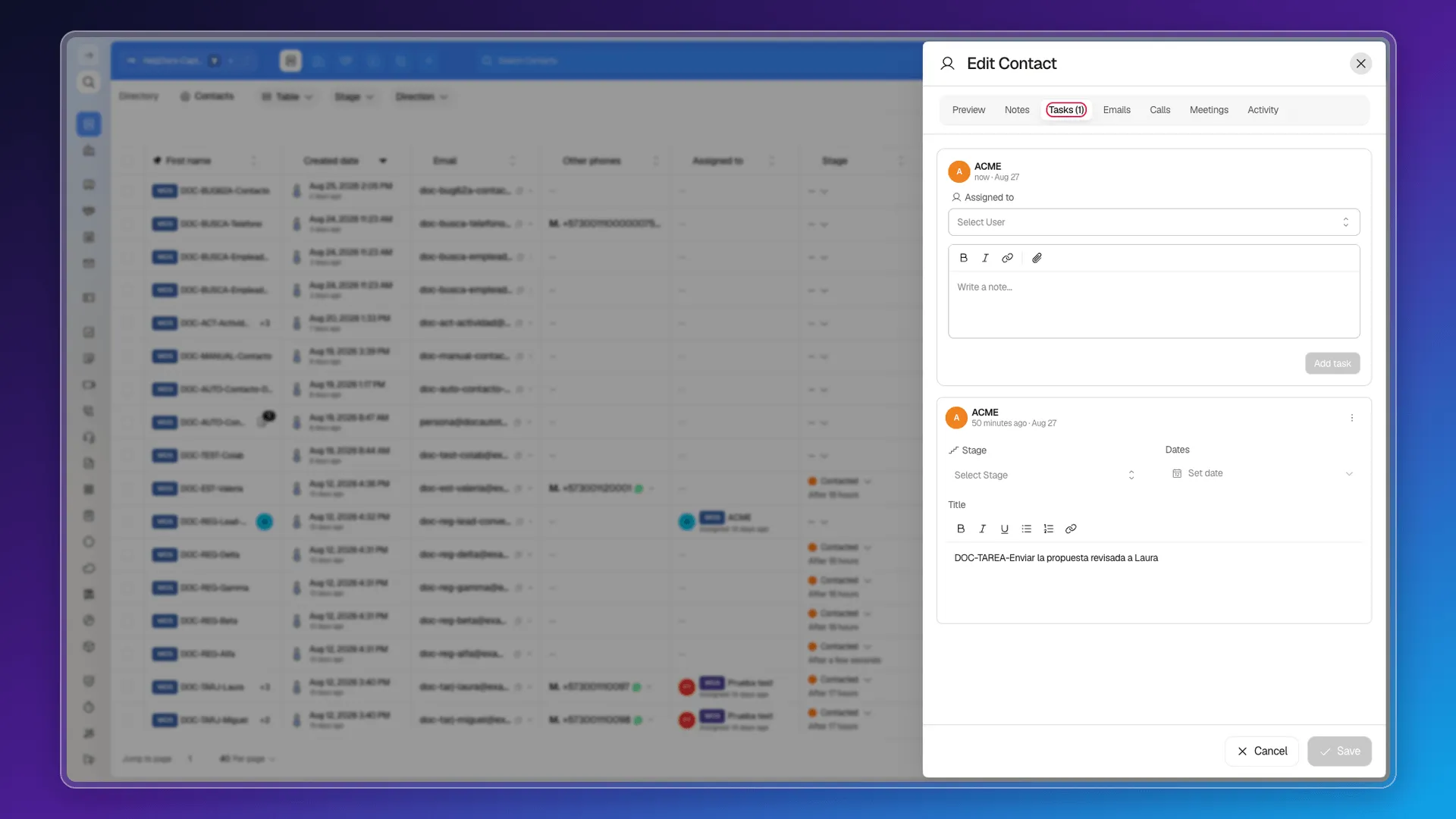
The composer asks for Assigned to and the task’s text, and Add task creates it already linked. The tab switches to showing the count — Tasks (1) — and the task appears listed below.
In the Tasks module’s table, that task comes out with a link to the contact in the title column, so the link is visible from both sides.
Working on the task from the record
Section titled “Working on the task from the record”Each task card on the tab lets you touch the essentials without leaving: Stage, Dates, and the title itself, which is a formatted editor. Changes save themselves.
The card’s three-dot menu carries Edit, which opens the full panel, and Delete.
Companies, not just contacts
Section titled “Companies, not just contacts”The task panel does have a Company field. It’s the only link to a record you can set from inside the Tasks module. To associate a task with a contact, create it from their record.
Frequently asked questions
No. The Assigned to field only accepts users on the account; a contact can't own a task.
By creating it from that contact's Tasks tab. The general Tasks panel has no contact field.
On the Tasks tab of their record, which shows the count in brackets.
Yes, with the Company field in the task panel.
Was this article helpful?
Thanks for your feedback!