
Set up task reminders and daily task digest emails
A reminder is defined per task and hangs off its due date. With no due date there’s no reminder to set.
Setting a reminder
Section titled “Setting a reminder”While creating or editing the task, open the Dates block and fill in Due date. As soon as it has a value, Due reminder appears below it, described as “time offset to send a reminder before the due date”.
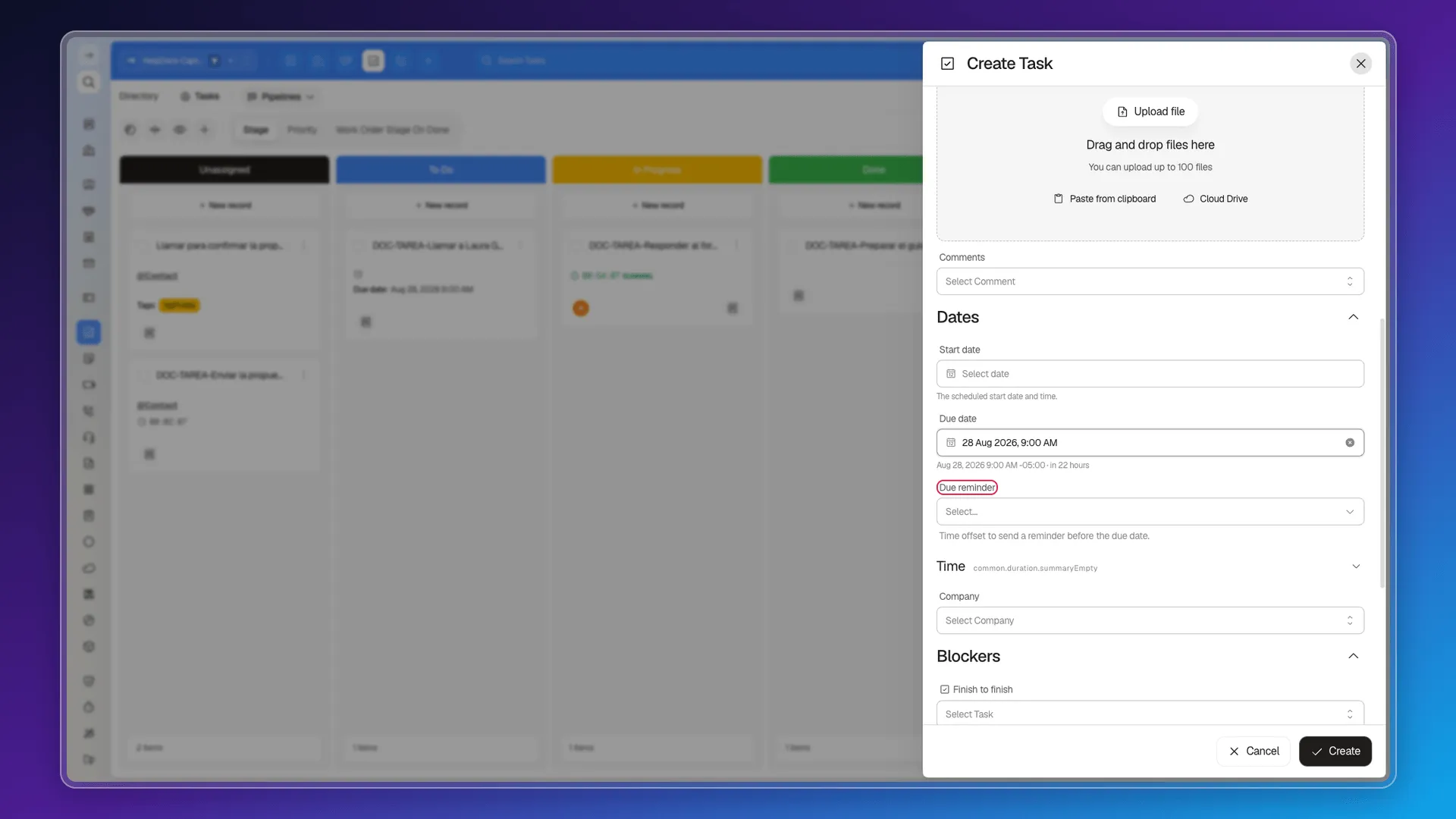
The options are:
- On the due date
- 1, 5, 10, 15, or 30 minutes before
- 1 hour before
- 6 hours before
- 1 day before
- 1 week before
- Custom
Save the task and the reminder is recorded.
Who it notifies
Section titled “Who it notifies”Alongside the reminder, the record keeps Notify users. That’s the field deciding where the alert goes, and it can be edited in bulk like the rest.
Reminders across several tasks
Section titled “Reminders across several tasks”Tick the tasks, use Edit selected, and look for the Dates · Due reminder field. Dates · Due reminder at and Dates · Notify users are available too. With Add field you can set a due date and a reminder in the same pass.
What isn’t there
Section titled “What isn’t there”Two things you might be looking for and won’t find:
- A daily digest email. Nothing gathers up what’s due today and sends it each morning, and there’s no checkbox in preferences to subscribe. We searched the account preferences console for “task” and “tarea” and no task-related option comes up.
- Defaults. You can’t decide that every new task should be due a week out at 11:00 with an hour’s warning. Each task is filled in one at a time.
In the meantime, the module’s Calendar view and a saved filter on due date do the job of a daily review.
Frequently asked questions
Set a due date first. The Due reminder field then appears, with options from 1 minute before to 1 week before.
Yes. Tick the tasks, use Edit selected, and pick the Dates · Due reminder field.
No. Prolibu sends no daily task digest and there's no preference to switch one on.
There are no configurable defaults for tasks; each task is set one at a time.
Was this article helpful?
Thanks for your feedback!