
Reviewing and troubleshooting record import errors
While it processes a file, the floating Import data panel keeps an Errors count alongside its other counters — see Viewing and analyzing previous imports for what the full panel shows. If there are errors, a “View errors (N) →” link appears next to the count.
The Error log
Section titled “The Error log”That link opens the Error log dialog, with:
- A field to filter by row or message.
- A Download error log button.
- The numbered list of errors, each with its message.
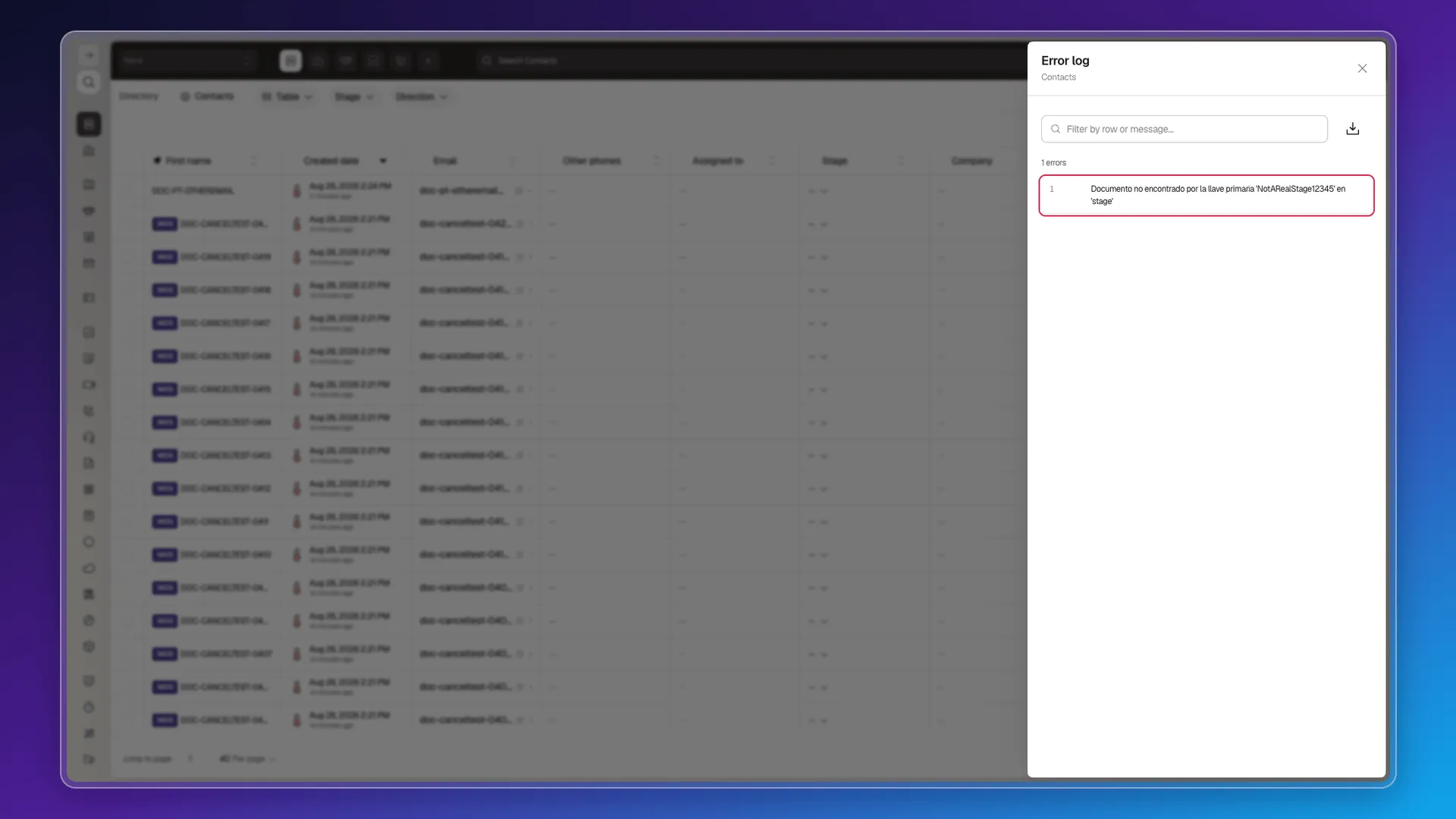
For example, if you write a value in stage that doesn’t match any existing stage, like NotARealStage12345, Prolibu rejects that row with “Documento no encontrado por la llave primaria ‘NotARealStage12345’ en ‘stage’”. That message stays in Spanish no matter what language your account uses — the dialog around it (title, filter placeholder, button) follows your language, but the error text itself doesn’t. It translates to “Document not found by primary key ‘NotARealStage12345’ in ‘stage’.” Some columns — like stage — turn out not to be free text at all: they’re references to a record that must already exist, and the import fails row by row whenever the value doesn’t match one.
What does and doesn’t produce an error
Section titled “What does and doesn’t produce an error”Not every problematic row produces an error:
- A completely empty row (no value in any column) isn’t imported, but it isn’t counted as an error either: Prolibu silently ignores it.
- A row with a nonexistent
stagevalue does produce the error above. - An email with a leading space — the kind left behind by a copy-paste or an Excel export — imports as a new contact, even though it looks identical to one that already exists. The email match ignores case, but it doesn’t trim whitespace (see Formatting import files). If you see an unexpected duplicate contact after an import, suspect an invisible leading space in that column first.
- An email with an invalid format (for example
not-an-email, with no @ or domain) imports without any error or warning: Prolibu doesn’t validate that the text looks like an email, it just uses it as an identifier.
With many errors at once
Section titled “With many errors at once”With a 30-row file, every row carrying the same non-existent stage value, the import finishes at 30 / 30 rows, 100%, 0 imported, 30 errors, and the link reads “View errors (30) →”.
The Error log dialog — headed with the module it belongs to, for example Contacts — neither paginates nor groups repeated messages: it shows the total (“30 errors”) and then the numbered list from 1 to 30, one entry per row, with the same message repeated throughout. You scroll it inside the dialog itself.
Download error log produces a .csv named import-errors-<import id>.csv, with two columns — Row and Error — and one line per failed row, carrying the same text shown on screen:
Row,Error1,"Documento no encontrado por la llave primaria 'NotARealStage12345' en 'stage'"2,"Documento no encontrado por la llave primaria 'NotARealStage12345' en 'stage'"Download it before closing the panel: there is no previous-imports screen to retrieve it from later — see Viewing and analyzing previous imports.
Frequently asked questions
In the floating Import data panel, in the "View errors (N)" link — it opens the Error log with a search box and a download button.
Not everything. It accepts an invalid-format email without flagging it as an error, but it does reject a value that should point to an existing record (like a stage) when it can't find one.
Check whether that row's email has a leading space. The email match doesn't trim whitespace (it does ignore case), so an invisible leading space creates a new contact instead of updating the existing one.
Was this article helpful?
Thanks for your feedback!