
Use subtasks
When one task is really three, it’s worth breaking it down. A subtask is an ordinary task — with an assignee, dates, and everything else — that hangs off another one.
Creating a subtask
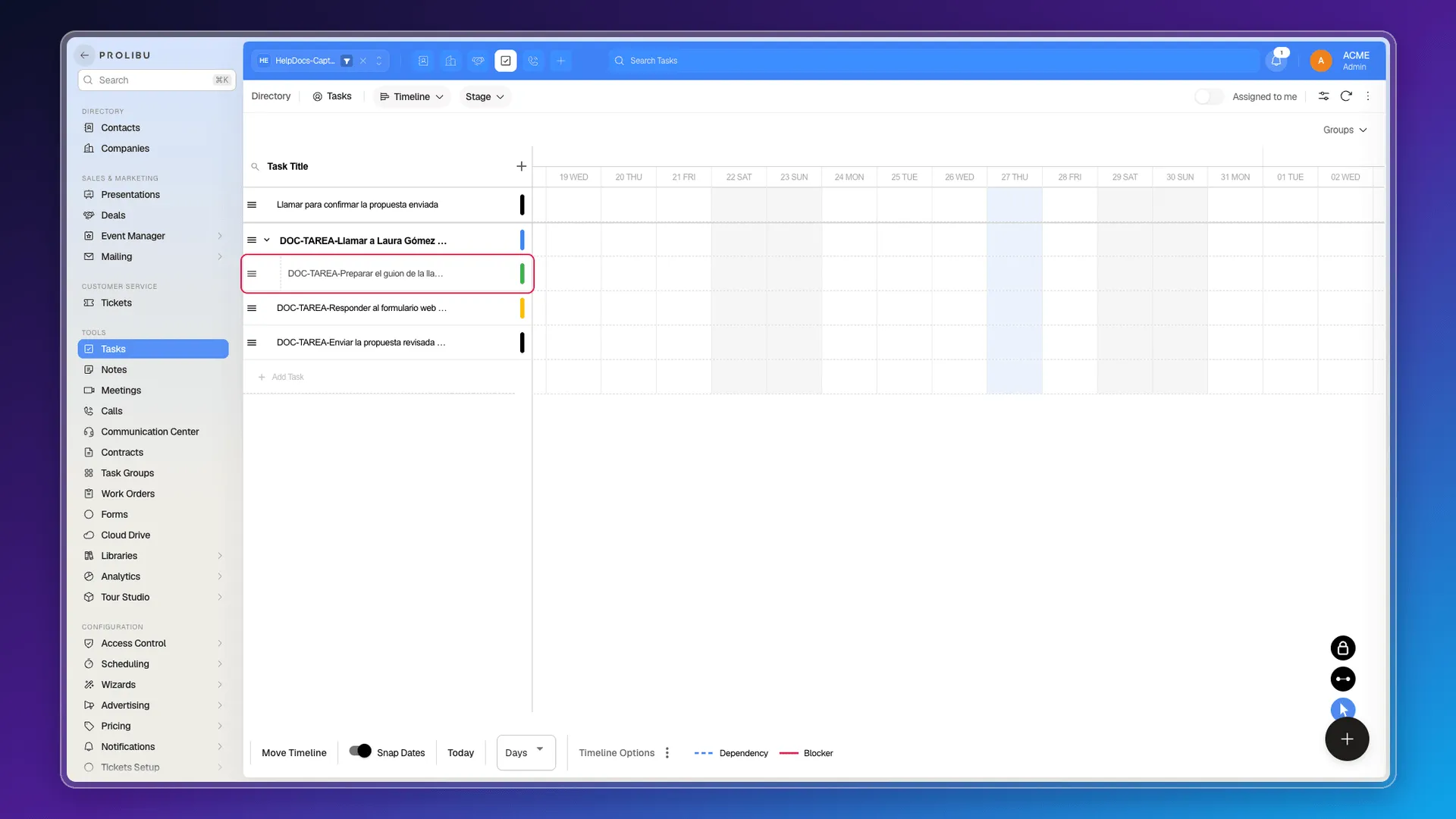
Section titled “Creating a subtask”Switch to the Timeline view. Hover the main task’s row and a New task button appears to the right of the name.
Clicking it opens a new row, indented under the main task. Type the title and press Enter. The subtask is created, and you can open it to fill in an assignee, dates, or estimated time.
Seeing the hierarchy
Section titled “Seeing the hierarchy”In the Timeline, the arrow to the left of a main task expands and collapses its subtasks. To the right, each one draws its bar on the time line according to its start and due dates.
The bar along the bottom carries the timeline controls: Today, the scale (days and others), Snap Dates, and Move Timeline. The legend tells Dependency apart from Blocker.
Subtasks and blockers are not the same thing
Section titled “Subtasks and blockers are not the same thing”A subtask answers “what steps is this made of?”. A blocker answers “what has to happen first?”. The task panel offers the four usual schedule relationships:
- Finish to finish — tasks that must be finished before this one can be finished.
- Finish to start — tasks that must be finished before this one can be started.
- Start to start — tasks that must be started before this one can be started.
- Start to finish — tasks that must be started before this one can be finished.
You can combine the two: subtasks for the breakdown, blockers for the order.
One detail about the list
Section titled “One detail about the list”In the Table and Pipelines views, subtasks show up as ordinary tasks, at the same level as their parent. The hierarchy is only drawn in the Timeline.
Frequently asked questions
In the Timeline view, by hovering a task and using the New task button on its row.
We found none announced in the interface.
No. They hang directly off another task; Prolibu has no separate projects object.
A subtask is a step inside another task. A blocker is an ordering relationship between two tasks that may be independent.
Was this article helpful?
Thanks for your feedback!