
Personalize templates with variables
Variables — Prolibu calls them “personalization tokens” right in the editor — pull a value from the record into the template’s text, so every message you send feels written for that specific person instead of generic copy you have to rewrite each time. It’s the same idea as HubSpot’s personalization tokens for templates and snippets.
Open the variable picker
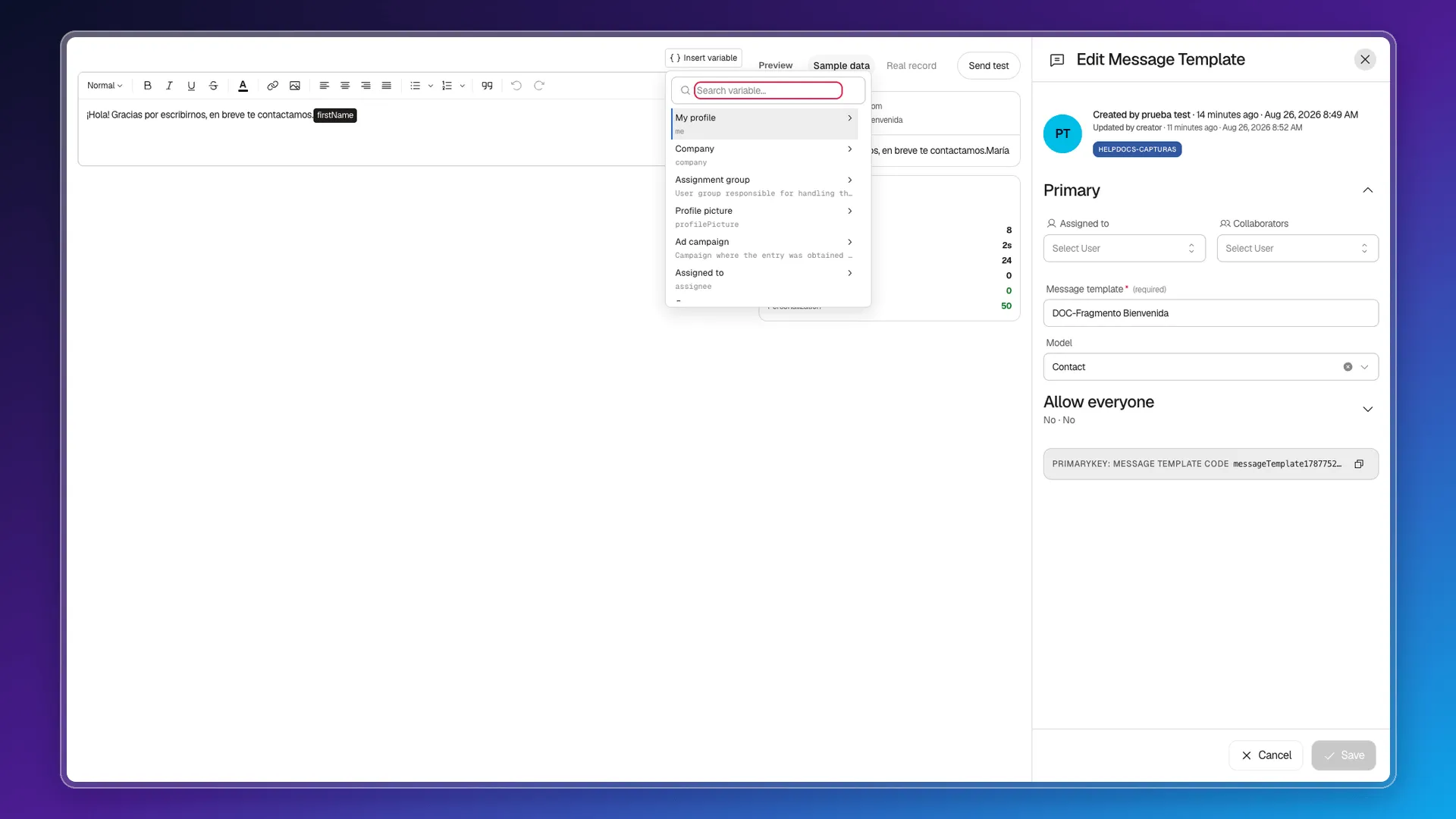
Section titled “Open the variable picker”Inside a template, with the cursor where you want to insert the value, click Insert variable in the top-left corner of the editor.
A panel opens with a search bar and, below it, a long list of every field on the template’s model — for Contact, that’s more than fifty: Company, Assignment group, Profile picture, Ad campaign, Assigned to, Stage, First name, Last name, Email, Job title, Website, and on through address, social network, and consent fields.
The first entry, My profile, works differently from the rest: it doesn’t insert a value on its own — it opens a submenu with data about whoever is sending the message: Company, Team, Primary workspace, Profile picture, Profile video, and Default layout.
Instead of scrolling the whole list, type into the search bar: searching “name” finds the First name field (firstName) directly.
Set a transform and a fallback value
Section titled “Set a transform and a fallback value”Every search result has a gear icon next to its name — open it before inserting the variable to configure two things:
- Transform — None, Uppercase, or Lowercase, to force the format of the inserted text.
- Fallback → Show if empty — the placeholder text shown when the record doesn’t have that field filled in.
The panel shows a live Preview using real sample data from the record, so you can confirm the result before inserting it.
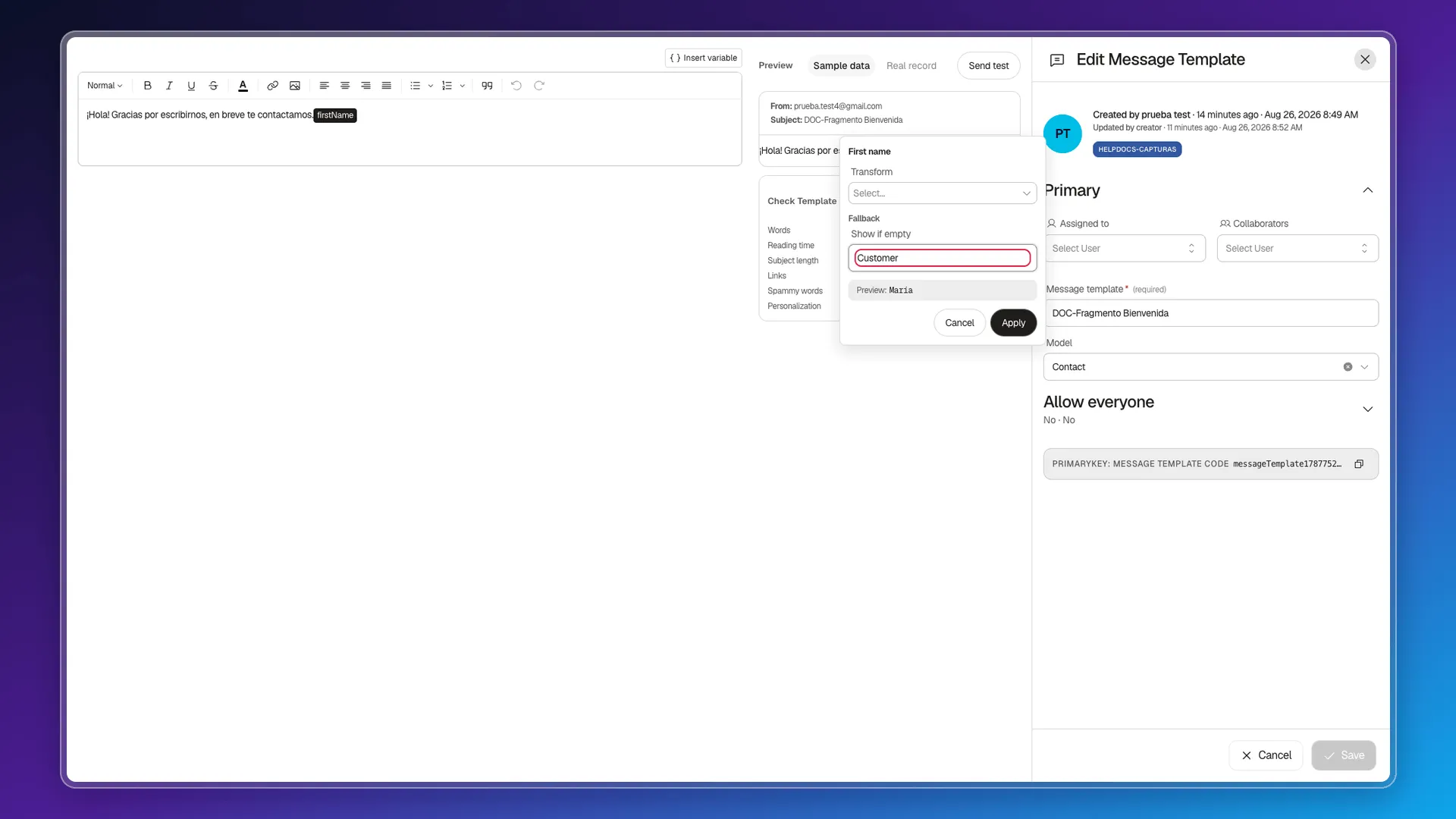
Click Apply to save the configuration, then click the search result to insert it into the editor. The variable stays as a dark-background token inside the text — not as plain text — and the Personalization count in the Check Template panel goes up to reflect it.
Frequently asked questions
Open the template, click Insert variable, search for "name", and click the result. It's inserted as a dark-background token inside the text.
The fallback text you set under Fallback → Show if empty is shown instead. If you didn't set one, the spot is left blank.
Don't try it — always use the Insert variable button. The editor stores the token as internal code (for example, default firstName "Customer" between double curly braces), and typing it yourself doesn't produce a real token.
Yes, with the Transform option on each variable, which offers Uppercase and Lowercase besides None.
Was this article helpful?
Thanks for your feedback!